Active Sound Editor for Windows 10 - Full description
Active Sound Editor is an ActiveX control from MultiMedia Soft that adds audio editing functions to Windows multimedia applications. It is intended for developers who need to load, inspect, modify and play sound data within a host program rather than build every editing operation from scratch. The control includes a sound composer with its own interface, while its editing and processing features can also be integrated into the container application.
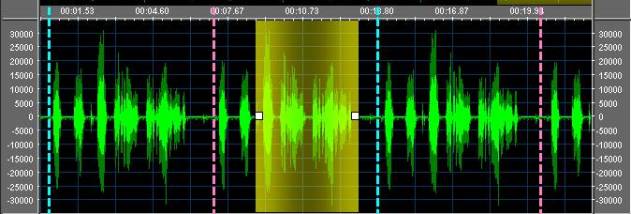
The control can load and export audio files in multiple formats, including MP3, WAV, WMA and Ogg Vorbis. When adding material to an editing session, a developer can choose append, insert, mix or overwrite behavior, or load a selected range instead of the whole file. Editing tools support cutting, inserting and mixing audio, as well as adding or removing silence. The waveform display provides visual analysis at different resolutions, with zoom, pan and range-selection tools for navigating a sound and working on a particular section.
Processing options cover equalizer bands, flat or sliding volume changes, and volume automation. The control can apply DirectX Media Object effects, VST plug-ins and custom DSP effects, which may be supplied by the host application's code or external DLLs. Tempo, playback rate and pitch can be adjusted independently. For cleanup and level preparation, it includes filters for hiss, clicks and pops, and volume normalization. Playback can be limited to a selected portion, and silent sections can be enumerated for inspection or further processing.
Additional workflow features include loading recorded audio from MultiMedia Soft's Audio Sound Recorder component and applying a background sound to an editing session, including looped playback. Append automation can combine several files in one operation, while mixing automation can mix multiple files or audio from other instances of the control. Integration with Active DJ Studio enables access to the audio track of video clips. These capabilities suit multimedia software that needs to provide editing, sound preparation, effects processing or playback without sending users to a separate audio editor.
Active Sound Editor is distributed as shareware and requires a Windows operating system. Its documented operating-system support includes Windows 10 and several earlier Windows releases; Windows 11 support is not established here. As an ActiveX component, it is designed for use inside compatible host applications, and integration requires development work rather than simply installing it as a general-purpose standalone editor. The interface language is English.