GE-Graph
... destination for downloading the innovative GE-Graph software for Windows 10, developed by the renowned Sgrillo. GE-Graph is a powerful tool that allows users to create ...

BookBuddi is a text-to-speech reading and study program that pairs spoken text with pictures. It can create talking picture books and photo albums from scanned material, read documents through SAPI-compatible speech engines, and let users repeat or select sentences for review. Notes, synopsis generation, proofreading, SpeedRead, and dual-voice playback support study and document work.
| Author: | Paul B Way |
| License: | Demo |
| Price: | $10.00 |
| Released: | Feb 5, 2013 |
| File size: | 19.90 MB |
| Downloads: | 334 |
| Keywords: | BookBuddi, Windows 10, text to speech, reader, photo album narration software, text-to-speech, Paul B Way, x64 software, text2speech, bookbuddi text to speech, synopsis generator, e-book reader, study aid, text synopsis generator, talking picture book maker, document proofreading reader, text to speech study aid, read |
| Author URL: | http://bookbuddi1.tripod.com/ |
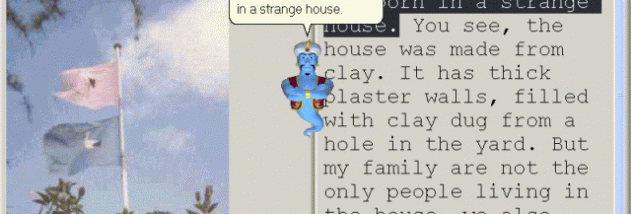

BookBuddi is a text-to-speech reading and study program for people who want to listen to written material alongside pictures. It can turn scanned pages into talking picture books and photo albums, combining text with images so that the visual material remains available while narration plays. Readers can work at their own pace, repeat passages, or select a sentence with the mouse to return to it. This makes the program suited to reviewing lessons, reading documents, and building visual presentations with spoken content.
The program uses SAPI-compatible text-to-speech engines to read text aloud. Voice controls include male and female selection, and a dual-voice option can alternate voices during playback. Separate scrolling for text and pictures allows each part of a book or presentation to be positioned independently. A SpeedRead feature supports faster reading, while sentence selection and repetition make it easier to revisit a particular point without restarting the whole text. The combination of narration and images can also help reduce the need to read continuously from the screen.
BookBuddi includes tools for making study notes and generating a synopsis, providing a way to capture key points while working through longer material. Its proofreading function reads documents aloud, which can help users notice wording that is easy to overlook when reading silently. Audio can also include a user's own voice, music, or singing, allowing photo albums and presentations to use recorded sound as well as text-to-speech. An automatic skin changer provides an additional interface option.
The program can be used to create personal talking books from scanned material, assemble narrated photo albums, review study documents, or listen to text while checking its associated illustrations. DisplayBuddi is included for creating product demonstrations and presentations of price specials. The synopsis and note-making tools are useful when working through a large amount of information, while voice and audio options support more customized presentations.
BookBuddi is distributed as demo software. Its stated Windows support includes Windows 10, as well as several older Windows releases; Windows 11 compatibility is not established here. Speech output relies on SAPI-compliant text-to-speech engines, so available voices depend on the engines installed on the computer. The program is intended for Windows desktop use and brings together reading, study, image, and audio features in one application.