Simstat
SIMSTAT is a statistical analysis program for researchers, analysts and other users who need to organize data, run analyses and keep results together. Its spreadsheet-style ...

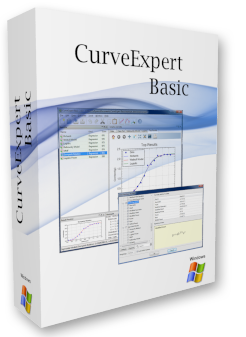
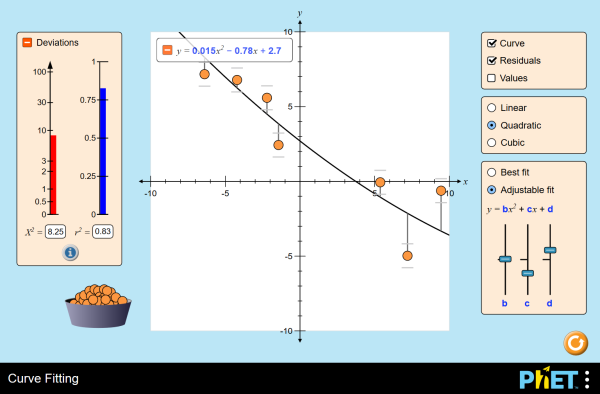
CurveExpert Basic is an interactive educational tool for exploring how mathematical models fit data. It supports linear, quadratic, and cubic curves, with controls for changing model parameters and dragging plotted data points. Users can compare the visual fit and examine goodness-of-fit measures, including reduced chi-square statistics. The program is useful for teaching and learning introductory data analysis, statistics, mathematics, physics, and engineering.
| Author: | University of Colorado |
| License: | Open Source |
| Price: | FREE |
| Released: | Mar 28, 2026 |
| File size: | 2.30 MB |
| Downloads: | 288 |
| Keywords: | curve fitting simulator, reduced chi-square statistics, Daniel G. Hyams, polynomial curve fitting, interactive curve fitting, data modeling software, curve plotter, curve fitting system, data modeling, goodness of fit tool, Windows 10 compatible, CurveExpert Basic, designer, curve fitting, statistical analysis, curve designer, curve |
| Author URL: | https://phet.colorado.edu/ |


CurveExpert Basic is an interactive curve-fitting program for learners and educators studying how mathematical models describe data. It presents curve fitting visually, allowing users to explore the relationship between measured points and a selected function. The hands-on format makes it suitable for classroom demonstrations, independent study, and introductory work in statistics, mathematics, physics, and engineering, where seeing how a model responds to data can clarify concepts that are otherwise abstract.
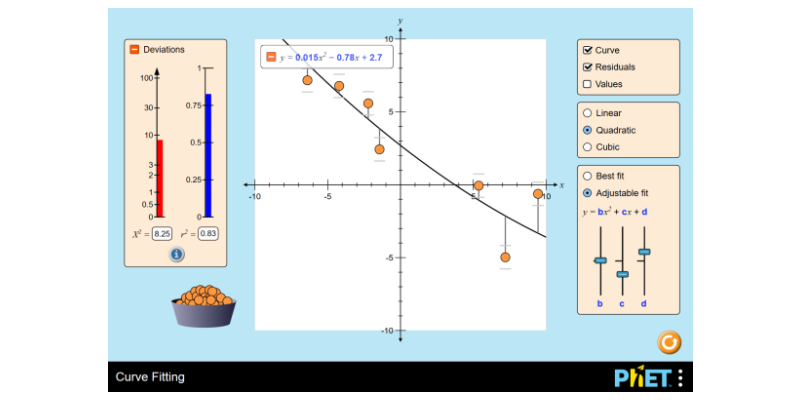
The program works with data sets and offers linear, quadratic, and cubic fitting models. Users can adjust model parameters and observe how the curve changes relative to the plotted points. This makes it possible to compare simple polynomial relationships and investigate how different choices affect the fit. Data points can also be dragged to new positions, providing immediate visual feedback and helping learners connect changes in observations to changes in the resulting model.
Tools for evaluating goodness of fit help users consider how closely a model represents the data. The program includes reduced chi-square statistics, which can support discussion and comparison of fit quality. Rather than treating a curve as a visual answer alone, learners can examine a numerical measure alongside the graph and consider the limitations of a chosen model. Experimenting with different functions and point positions offers a practical way to explore model selection and the interpretation of data.
In a teaching setting, an instructor can use the graph and interactive controls to demonstrate how fitted curves respond to changing data. Students can use the same process to test ideas, compare linear and higher-order polynomial models, and build an intuitive understanding of statistical modeling. The ability to manipulate points makes it useful for activities where learners investigate cause and effect, rather than simply receive a calculated result. It can also serve as a lightweight visual aid for explaining curve fitting in introductory data-analysis lessons.
CurveExpert Basic is identified as open-source software and is available at no cost. The supplied Windows compatibility includes Windows 10 and Windows 11, as well as earlier Windows releases; 32-bit and 64-bit support is noted for Windows 10 and the earlier versions. Its small download size makes it practical to install for lessons or individual study. The program is associated with the University of Colorado and the PhET Interactive Simulations project, whose educational simulations are designed for public learning use.