jddd
Welcome to the ultimate destination for downloading the innovative software, "jddd", a brainchild of the talented jddd Team. This Windows 10 compatible software is a game-changer ...

Eclipse is an extensible integrated development environment for building and maintaining software. Its Java Development Tools provide a focused workspace for Java projects, including code editing, navigation, running and debugging. Plug-ins add support for other languages such as C, C++, PHP, Python, Perl and COBOL, and developers can create extensions for specialized workflows. Eclipse is free, open-source software for Windows, Linux and macOS.
| Author: | Eclipse Foundation |
| License: | Freeware |
| Price: | FREE |
| Released: | Jun 14, 2023 |
| File size: | 123.00 MB |
| Downloads: | 470 |
| Keywords: | Eclipse Foundation, Eclipse, java development environment, software development tool, integrated development environment, Java, platform-independent framework, Windows 10 compatibility, compiler, python programming ide, c c++ ide, eclipse plugins, eclipse ide, java code editor, Java IDE, x64 architecture, open-source software |
| Author URL: | https://www.eclipse.org/ |
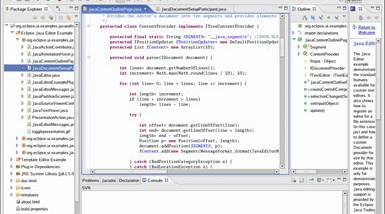



Eclipse is an extensible integrated development environment for programmers who build, inspect and maintain software. Its default tools focus on Java, while its plug-in architecture lets developers add support for other languages and workflows. The environment is suited to individual projects as well as larger codebases, with tools for editing, navigating and running code in one workspace.
The Java Development Tools provide language-aware editing for Java projects, including code navigation and assistance while writing. Developers can organize source files into projects, inspect errors and run or debug applications from the IDE. These tools help keep common development tasks close to the code, rather than requiring a separate editor and launcher for each project.
Eclipse can be adapted for other languages through plug-ins. Available toolkits support work with languages such as C, C++, PHP, Python, Perl and COBOL, while specialized Eclipse distributions focus on particular development areas, including C and PHP. Plug-ins can also add integrations and project-specific tools; teams can select the components they need, and developers can create their own extensions using the Eclipse framework.
The workspace model brings related projects and development resources together, making Eclipse useful for creating new applications, maintaining existing software and switching between projects. Its extensible design is especially relevant to developers whose work spans multiple languages or who need a tailored set of tools. The same environment can serve as a general IDE or as the foundation for a more specialized development setup.
Eclipse is free and open-source software released under the Eclipse Public License. It is primarily written in Java and runs on Windows, Linux and macOS. The Windows download is intended for Windows 10 and Windows 11 users; language support and additional capabilities depend on the plug-ins installed.