FortiClient 5.6.4.1131 review by Silvestre (Feb 13, 2018)

Excelent for conections remote with VPN

FortiClient combines endpoint security tools with VPN access for Windows computers. Antivirus and anti-malware features help detect harmful software, while web filtering can block unsafe sites. SSL and IPsec VPN support lets users connect securely to corporate networks. Organizations can manage policies and monitor endpoints centrally through FortiClient Enterprise Management Server, with options such as application firewall, vulnerability management and endpoint quarantine.
| Author: | Fortinet Technologies Inc |
| License: | Freeware |
| Price: | FREE |
| Released: | Dec 21, 2024 |
| File size: | 4.20 MB |
| Downloads: | 3123 |
| Keywords: | security, threat detection, forticlient download, protection, forticlient vpn, network security software, Fortinet security, FortiClient VPN, fortinet antivirus, control, endpoint security software, web filtering software, secure remote access, antivirus, protect, ssl vpn client, endpoint protection, malware |
| Author URL: | https://www.fortinet.com/products/endpoint-security/forticlient |
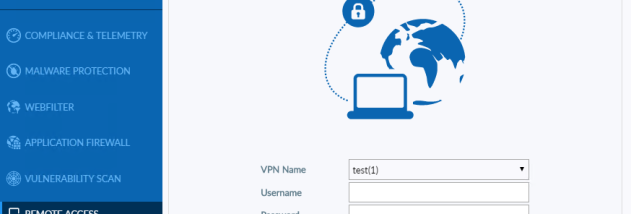


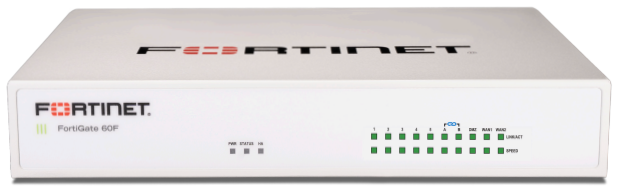


FortiClient is an endpoint security and VPN application from Fortinet for protecting Windows computers and connecting them to managed business networks. It is intended for both individual users who need security and secure remote access, and organizations that deploy endpoint policies across a workforce. FortiClient can also work with Fortinet's Security Fabric, making it useful in environments that already use Fortinet network security products.
Its security tools include antivirus and anti-malware protection, which scan for harmful software and help detect threats as they reach an endpoint. Web filtering can restrict access to unsafe or unwanted sites, adding a layer of protection during everyday browsing. These controls help reduce exposure to malicious downloads and risky web content; in managed environments, administrators can set policies for how they apply across devices.
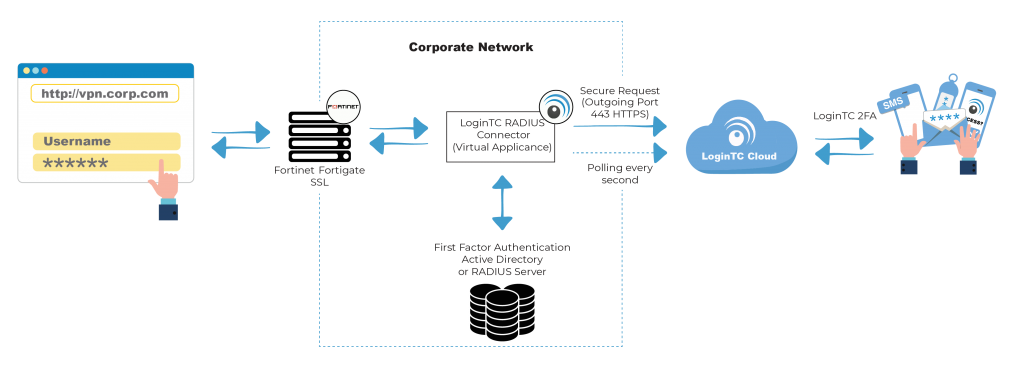
For remote work, FortiClient supports SSL and IPsec VPN connections. A VPN creates an encrypted connection to a corporate network, so employees can access internal resources while away from the office. The application also includes an application firewall and vulnerability management features. In organizations using FortiClient Enterprise Management Server, IT staff can centrally deploy and configure endpoint settings, monitor device activity, and quarantine endpoints when a security response is needed.
These capabilities make FortiClient suitable for businesses that want to combine endpoint protection with remote network access, especially those already using Fortinet products. It can also serve as a VPN client for users who need a secure connection to an organization's network. The scope of available protection and management features can depend on the deployment and the Fortinet services in use, so organizations typically configure it as part of their wider security setup.
FortiClient is freeware. The Windows download supports 64-bit Windows 10 and Windows 11, as well as specified older Windows desktop and server editions. Fortinet also offers products for other operating systems, but this listing concerns the Windows application. Centralized management requires the relevant Fortinet management environment; the client can be used independently for supported functions such as VPN access.
Excelent for conections remote with VPN

fantastic application