QA-CAD
... the power of precision with QA-CAD, the ultimate CAD viewer and markup tool developed by Guthrie CAD/GIS Software. Designed specifically for Windows 10, QA-CAD streamlines your ...

HPGL2CAD converts HPGL plotter files to DWG and DXF for use in CAD workflows. It aims to preserve line weights, scale, text and symbols, and supports multiple HPGL variants. Batch processing handles groups of files, while layer mapping and color adjustments let users tailor how converted drawings are organized and displayed.
| Author: | Guthrie CAD/GIS Software |
| License: | Trialware |
| Price: | $149.00 |
| Released: | Apr 10, 2026 |
| File size: | 19.70 MB |
| Downloads: | 216 |
| Keywords: | software, Converter, Guthrie, hpgl to dxf converter, download HPGL2CAD, intuitive user interface, HPGL2CAD, HPGL2CAD free download, CAD, efficient design workflow, HPGL2DWG, hpgl cad conversion, hpgl to dwg converter, plotter file converter, HPGL plot files, vectorization software, GIS, HPGL to CAD, HPGL to DWG, batch hpgl conversion, conversion, HPGL to DXF, Convert, CAD file compatibility, HPGL to CAD conversion, hpgl2cad download |
| Author URL: | https://www.guthcad.com/dwgconvert.htm |
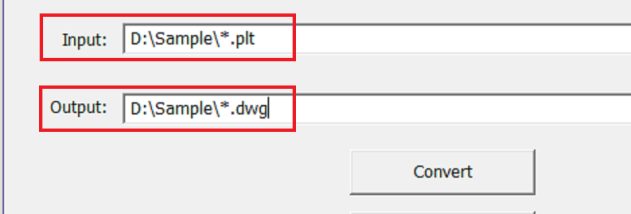
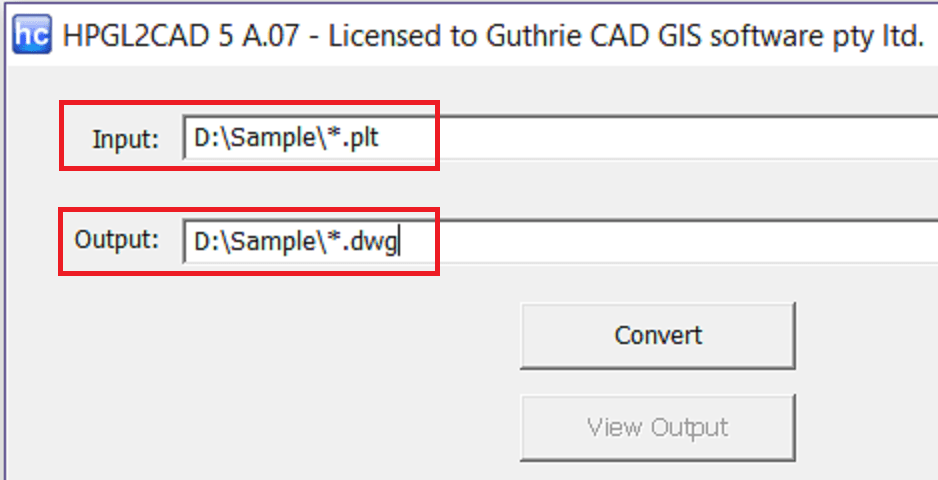

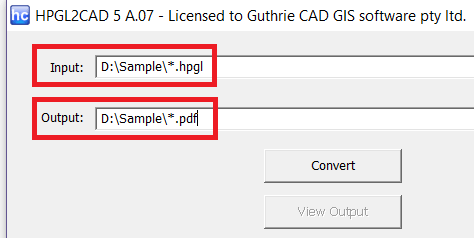

HPGL2CAD is a conversion utility from Guthrie CAD/GIS Software for bringing HPGL plotter files into CAD workflows. It converts HPGL files to DWG and DXF, making plotter output easier to use in CAD applications. Architects, engineers, designers and other users who need to reuse technical drawings can use it to move this material from a plotter-oriented format into common CAD file types.
The conversion process is intended to preserve drawing details that matter in technical work, including line weights, scale, text and symbols. Accurate scaling helps keep the drawing's proportions meaningful, while retaining text and symbols supports interpreting annotations and drawing elements after conversion. The resulting DWG or DXF files can then be opened and incorporated into CAD-based work, rather than requiring the drawing to remain in HPGL format.
For jobs involving multiple plotter files, batch processing can convert several files in one run instead of handling them individually. HPGL2CAD also supports a range of HPGL variants, which is useful when files originate from different plotter outputs. Conversion settings include layer mapping and color adjustments, allowing users to organize drawing content and adapt its appearance to a project's preferred CAD structure.
These capabilities suit both occasional file recovery and recurring drawing conversion tasks. A designer may need to edit or reference a plotter drawing in a CAD project, while an engineering or architecture office may need to process a group of HPGL files for continued use in its standard CAD workflow. Handling large and complex drawings is also part of the software's intended use, where stability and preservation of detail matter alongside conversion speed.
HPGL2CAD is trialware and is available for Windows 10 and Windows 11, as well as several earlier Windows releases. The interface is designed to keep the conversion workflow straightforward, with controls for output and drawing organization rather than requiring users to recreate the source manually. It is a focused utility for converting HPGL plotter files to DWG or DXF, not a general-purpose CAD editor.