KeyScrambler Professional for Windows 10 - Full description
KeyScrambler Professional is a keystroke-encryption utility from QFX Software Corporation for people who enter passwords, personal details, or confidential information on a Windows computer. It is designed to reduce the risk of keyloggers recording readable input. The program works in the background, so its protection fits into ordinary typing and does not require users to change how they enter data.
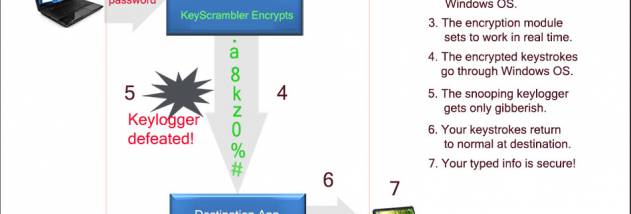
The software encrypts keystrokes at the kernel level before they can be captured as ordinary characters by a keylogger. If such malware is present, the captured keystrokes are intended to appear indecipherable rather than reveal the text being typed. This can add a layer of defense when signing in to websites, entering payment or account details, composing email, or messaging. It complements other security measures rather than removing the need to keep a computer protected from malware.
KeyScrambler Professional supports a range of applications, including web browsers, email clients, instant messaging programs, and Microsoft Office. Supported browsers include Chrome, Firefox, and Edge; Skype is among the other named applications. This broad application coverage makes it useful for people whose sensitive typing takes place in more than one program, not just in a browser. A real-time display of encrypted keystrokes provides a visual indication of the program's encryption activity.
The interface is intended to be straightforward, while the background operation keeps the tool from interrupting routine work. Individuals can use it to add protection when managing online accounts or handling personal information, while businesses may find it relevant on computers used to enter confidential data. Its focus is specifically on keystroke capture, so it is best understood as one component of a broader security setup, not as a general antivirus or a guarantee against every form of data theft.
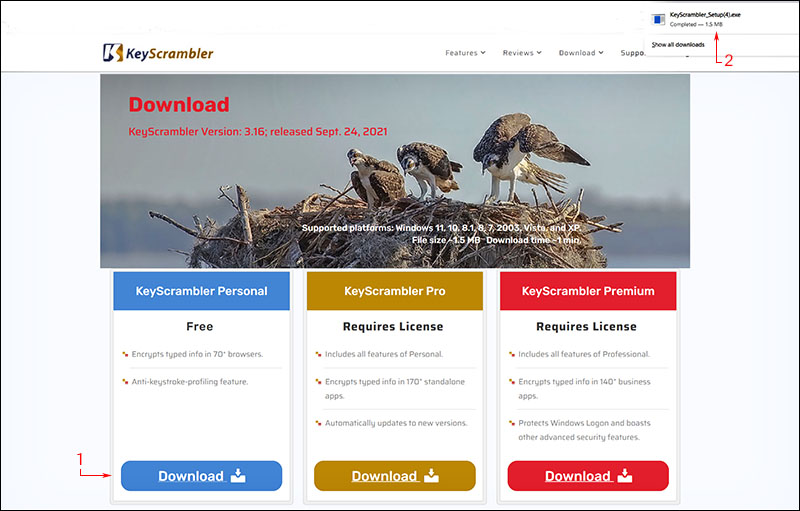
KeyScrambler Professional is offered as a demo. It supports Windows 10 and Windows 11, as well as older Windows releases including Windows 8, 7, Vista, XP, and Windows 2003; 32-bit and 64-bit support is stated for Windows 10 and several of those earlier desktop versions. The program is intended for users who want keystroke protection across common work and communication applications, with its practical value depending on whether the applications they use are supported.