Yugie HTML editor
... to your one-stop destination for downloading the Yugie HTML editor, a robust and innovative software developed by the talented Bc. David Vucenovic. This Windows 10 compatible software is a must-have tool for all ...

Stylizer is a visual CSS editor for designers and developers working on web pages. It opens a URL or local HTML file, extracts its style sheets and previews edits in real time across eight integrated browsers. CSS validation helps catch invalid selectors and properties, while visual controls such as drag-and-drop editing, Bullseye, color tools, rulers and a magnifying lens support precise adjustments. Edited styles can be saved locally, sent to FTP, SFTP or FTPS, or copied to the clipboard. Stylizer is trialware for Windows.
| Author: | Skybound Software |
| License: | Trialware |
| Price: | $79.00 |
| Released: | Sep 24, 2018 |
| File size: | 3.60 MB |
| Downloads: | 402 |
| Keywords: | CSS editing, Windows 10, editor, css validation tool, CSS, HTML editor, Skybound Software, html css editor, edit website styles, CSS editor, x64, Web design software, live css preview, HTML, code editor, css color picker, Stylizer, visual css editor |
| Author URL: | http://www.skybound.ca/ |


Stylizer is a visual CSS editor for web designers and developers who want to edit a page's styles while seeing the effect of each change. It opens a web address or local HTML page and extracts its style sheets for editing. Rather than relying only on a text editor and a separate browser, the workflow brings CSS controls and live page previews together, making it useful both for refining layouts and for understanding how style rules affect a design.
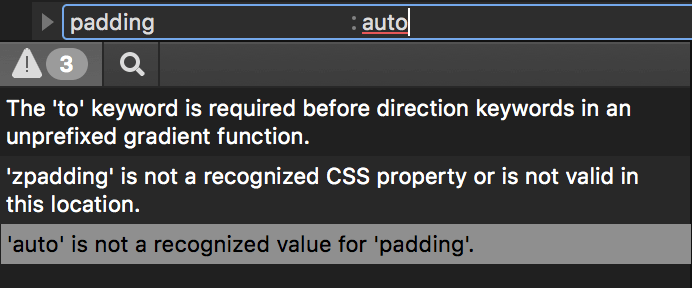
The editor includes a CSS validation system that checks selectors and properties as styles are created or changed. It supports CSS3 selector syntax, commonly used browser filters and many standard and vendor-specific properties. This helps catch invalid CSS during editing, rather than leaving errors for a browser to ignore or for a later debugging pass. Changes can be previewed in real time in eight integrated web browsers, so designers can compare how a page renders across different browser engines without repeatedly switching tools.
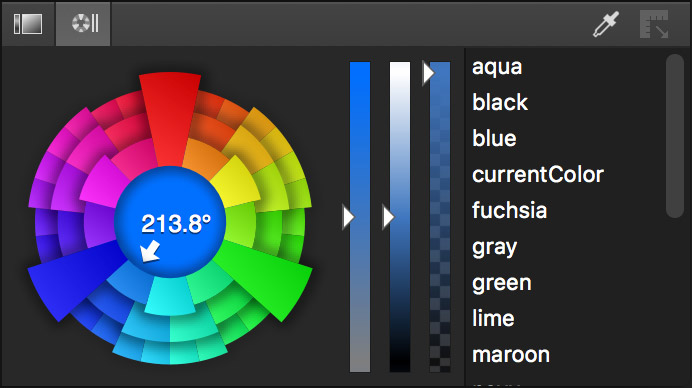
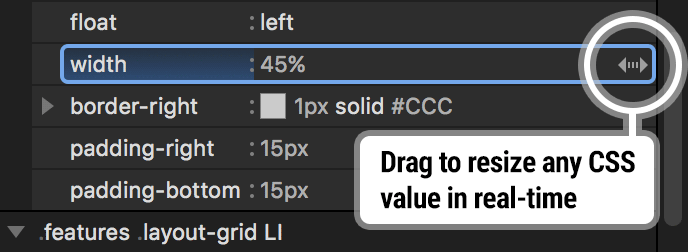
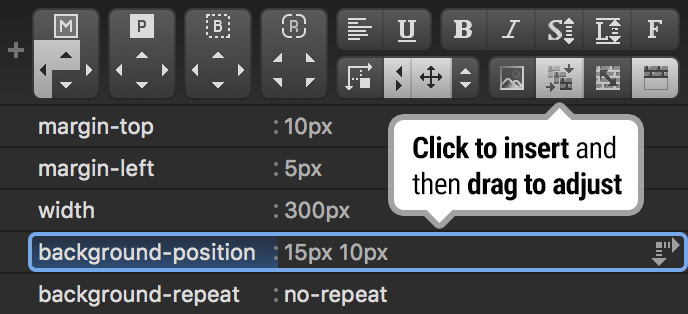
Stylizer offers visual controls for adjusting styles, including drag-and-drop editing and Bullseye, a tool for targeting elements on the page. Its color picker lets users select a color in a style sheet, adjust it and inspect the result in the live preview. Keyboard controls allow fine tuning of saturation and brightness. An eyedropper samples colors from anywhere on the screen or from the page itself, which can help match a design to a mockup or reuse colors already present in a site. Rulers provide on-screen measurements and alignment checks, while a magnifying lens helps examine page details more closely.
For online work, Stylizer can load a site by URL, gather its style sheets and save edited files to an FTP, SFTP or FTPS server. It can also save to a local drive or copy styles to the clipboard. After a destination is set for each style sheet, the program remembers it for subsequent saves. These options suit designers making focused visual adjustments to existing sites, checking browser differences, sampling colors or learning CSS through direct interaction with rendered pages.
Stylizer is trialware and is intended for Windows. The supplied system information includes Windows XP, Vista, 7, 8 and 10, including listed 64-bit editions; it does not establish support for Windows 11. The program's emphasis is CSS editing and page styling, rather than general-purpose HTML authoring. Its integrated previews and visual tools provide a focused alternative to editing styles in a plain text editor and refreshing a separate browser after every change.