Yugie HTML editor
... your one-stop destination for downloading the Yugie HTML editor, a robust and innovative software developed by the talented Bc. David Vucenovic. This Windows 10 compatible software is a must-have tool for all web ...

XWebDesignor is a WYSIWYG website editor for creating and updating sites without programming knowledge. It supports visual page editing, photo albums and blogs, along with elements such as buttons and dynamic menus. Users can arrange common site features through the interface and publish a finished website in a few steps. The freeware application is aimed at beginners and other users building straightforward websites.
| Author: | NeutSSoftware |
| License: | Freeware |
| Price: | FREE |
| Released: | Jun 14, 2020 |
| File size: | 32.00 MB |
| Downloads: | 237 |
| Keywords: | edit, website builder without coding, wysiwyg website editor, create, website editor, edit website, visual website editor, x64 software, create blog, NeutSSoftware, create photo album website, dynamic menu website builder, graphic interface design, website creation tool, Windows 10 compatible, XWebDesignor, editor, blog website editor |
| Author URL: | http://www.neutssoftware.com/ |
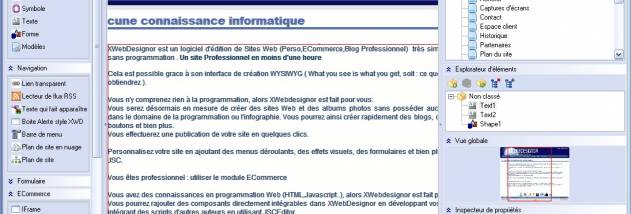

XWebDesignor is a visual website editor for people who want to build or update a site without writing code. Its WYSIWYG interface shows page content as it is arranged, making it possible to work with web pages through a visual editing workflow rather than programming tools. It is suited to beginners and to users who need a straightforward way to assemble a small website, blog or photo album.
The editor supports creating websites and photo albums without requiring programming or computer-graphics knowledge. Users can arrange page elements visually and add common site components, including buttons and dynamic menus. These tools help organize navigation and provide interactive elements for a site, while the WYSIWYG approach makes the editing process more accessible to people unfamiliar with web development.
XWebDesignor can also be used to create blogs and other pages that bring together different kinds of content. Its visual workflow lets users focus on page layout and site structure, rather than writing the code behind each element. Once a site is ready, the program provides a way to publish it in a few steps, connecting the editing process with making the finished pages available online.
Typical projects include a personal website, a simple blog, or an online collection of photographs. It can also help with updating an existing site when the task is primarily visual editing and arranging common page features. Users who need detailed control over source code or advanced web-development workflows may find a dedicated coding environment more appropriate.
XWebDesignor is freeware and is available for Windows, including Windows 10. Its emphasis on visual editing makes it a practical starting point for people who want to create and publish a basic site without first learning programming. The application is focused on building pages and site components, so the work centers on arranging content, adding navigation and preparing the site for publication.