PDF-Tools
... range of editing tools, allowing you to merge, split, extract, or delete pages from your PDF files. It also offers advanced features like digital signing ...

Advanced Command Line PDF Splitter divides PDF documents by page, bookmark, or text occurrence. It can process multiple files in a batch and supports command-line operation for scripted workflows. A graphical interface offers drag-and-drop file selection, customizable settings, and a preview before splitting. It is trialware for Windows.
| Author: | CoolUtils Development |
| License: | Trialware |
| Price: | $39.90 |
| Released: | Oct 13, 2025 |
| File size: | 114.00 MB |
| Downloads: | 265 |
| Keywords: | encrypt PDF, file management, PDF splitting, batch processing, split pdf by bookmarks, PDF splitter, software utility, Windows 10 software, batch pdf splitter, split pdf files, PDF Splitter free download, split pdf by pages, command line pdf tool, watermark, download PDF Splitter, PDF Splitter, PDF tools, command line tool, splitter, CoolUtils Development, document management, file splitting, pdf splitter, split, split PDF, combine |
| Author URL: | https://www.CoolUtils.com/TotalCSVConverter |

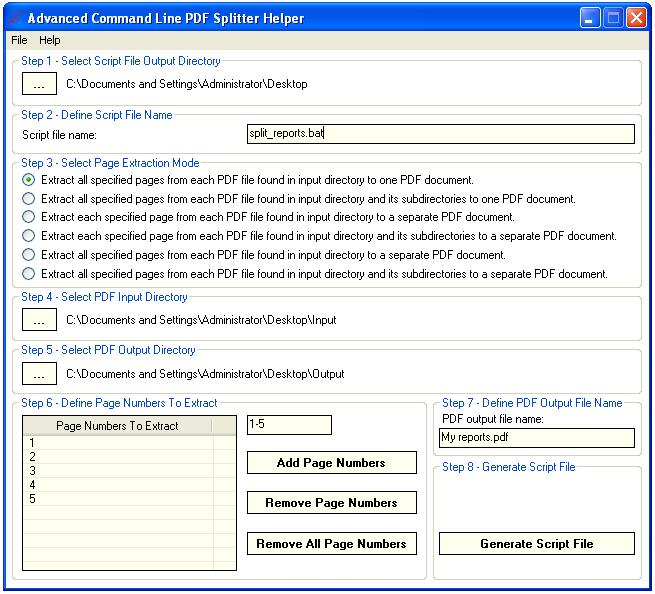
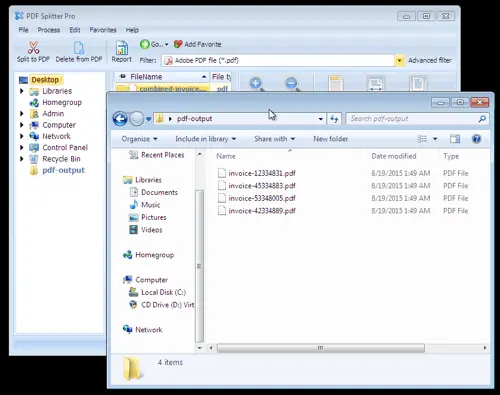
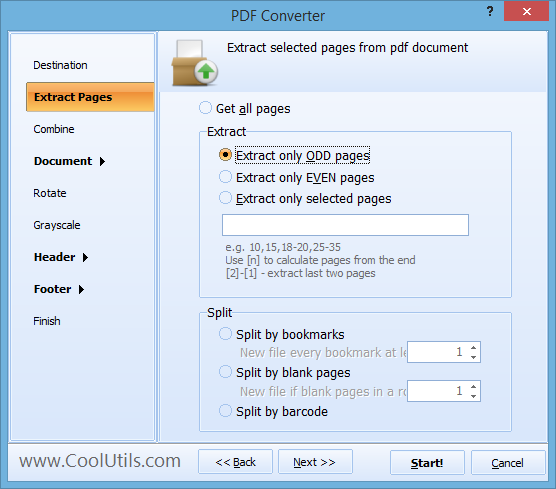


Advanced Command Line PDF Splitter is a Windows utility for dividing PDF documents into smaller files. It suits users who need to separate long reports, manuals, records, or other PDFs, including people who want to automate document handling from scripts or command-line workflows. Rather than requiring each document to be split by hand, it offers several ways to identify where the resulting files should begin and end.
The program can split PDFs by page, letting users divide a document into defined sections or extract individual pages. Bookmark-based splitting uses the document's existing navigation structure to create separate files at section boundaries, which can be useful for books, reports, and manuals with well-organized contents. Text-based splitting lets users use occurrences of text as split points, helping separate documents that contain repeated markers or records within a single PDF.
Batch processing allows multiple PDF files to be handled in one operation, reducing repetitive work when processing a folder of documents. Command-line operation supports automated use in scripts and other established workflows, so recurring split tasks can be run without repeating the same manual steps in the interface. The software also provides a graphical interface with drag-and-drop file selection, customizable options, and a preview for checking a document's structure before splitting it.
Typical uses include extracting chapters from a bookmarked publication, dividing a large PDF into page ranges for distribution, and separating bundled records according to recurring text. Batch and command-line features are particularly relevant to offices and other environments where the same document-processing task needs to be applied to multiple files or repeated regularly. The output is intended to retain the source document's formatting.
Advanced Command Line PDF Splitter is trialware from CoolUtils Development. It is available for Windows 10 and Windows 11, as well as earlier Windows releases. The command-line approach is useful for users comfortable with scripting, while the graphical controls provide an alternative for setting up individual jobs. Its central purpose is PDF splitting; the available splitting methods determine how a source document is divided.