Automapki
Discover Automapki, the innovative mapping application designed to revolutionize how you interact with geospatial data on Windows 10. Developed by Automapki, this powerful tool seamlessly integrates with your existing ...

Autoshaper is a 3D shape and CAD utility for viewing and converting model files. It is useful when geometry needs to move between applications or formats, including workflows involving NURBS, OBJ, SKP, and STL files. The viewer supports basic model inspection before further editing or sharing. Distributed as a demo, it is aimed at users handling CAD and 3D design data rather than general-purpose GIS mapping.
| Author: | Automapki |
| License: | Demo |
| Price: | FREE |
| Released: | Feb 20, 2025 |
| File size: | 32.70 MB |
| Downloads: | 163 |
| Keywords: | automation, stl file converter, design, Autoshaper review, graphic design tool, Automapki, CAD Explorer, CAD, STL, autoshaper download, Nurbs, OBJ Viewer, obj file viewer, intuitive interface, Automapki software, download Autoshaper, software, cad file converter, Autoshaper free download, 3d model viewer, shape manipulation, Autoshaper, Windows 10 productivity, CAD Converter, productivity, SKP, nurbs shape converter |
| Author URL: | https://www.automapki.com/ |
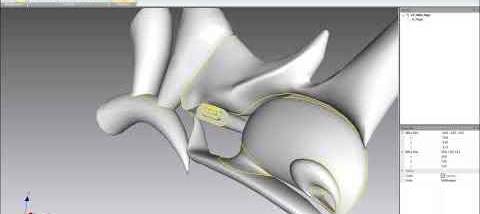
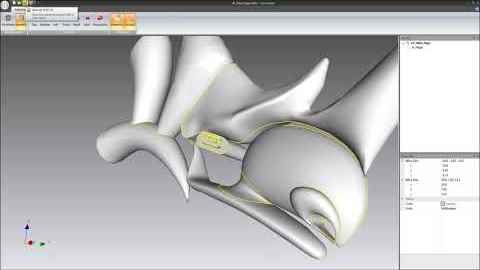
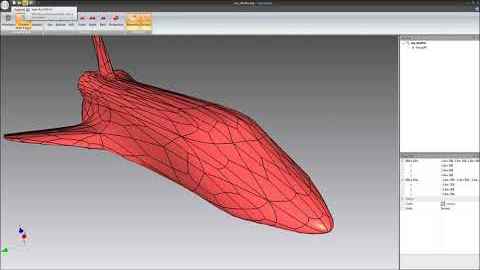


Autoshaper is a 3D shape and CAD utility from Automapki for working with models and converting geometry between common design formats. It is suited to users who need to inspect or prepare 3D files for use in different CAD, modeling, and visualization workflows. Its format-oriented tools are relevant to projects involving NURBS geometry, mesh models, and files such as OBJ, SKP, and STL.
The program's shape-conversion workflow helps move geometry between supported formats when a project must be opened in another application. This can be useful when a model arrives as a mesh but needs to be reviewed or adapted in a CAD environment, or when a design must be exported for another tool. Rather than rebuilding the shape from scratch, users can use conversion to carry the model into a compatible stage of their workflow. Results depend on the source geometry and the capabilities of the destination format.
Autoshaper also provides tools for viewing and examining 3D files. A viewer can help users check the contents of a model before converting or sharing it, and makes the program useful for basic file inspection as well as format transfer. Its focus on CAD and 3D geometry distinguishes it from general-purpose image viewers: the files it handles represent spatial shapes that can be used in design and modeling work.
Typical uses include checking OBJ or STL models, moving geometry between applications, and preparing CAD-related files for downstream editing or review. Support for formats associated with both mesh and CAD workflows can help reduce friction when collaborators use different software. The program is intended for people working with 3D models and design data, rather than users seeking a full-featured general-purpose CAD suite or GIS mapping application.
Autoshaper is distributed as a demo, so its use is intended for evaluation rather than assumed to be unrestricted. It runs on 64-bit Windows systems, including Windows 10 and Windows 11, as well as earlier 64-bit Windows releases. Users should check that their source and target formats meet the needs of their particular project before relying on a conversion, since model detail and geometry can vary between file types.