Kaspersky Virus Removal Tool
Kaspersky Virus Removal Tool is a free on-demand scanner for Windows PCs ... intended for checking and cleaning a system after malware has reached it, rather than providing continuous antivirus ...

BitDefender Free Edition is a freeware on-demand antivirus scanner for checking Windows systems and removing detected threats. It combines virus and spyware scans with behavioral analysis, rootkit detection, privacy checks for outgoing web and email traffic, and a dashboard showing scan results and system activity. It is best suited to targeted scans or recovery work, not as a full-time antivirus suite.
| Author: | Bitdefender |
| License: | Freeware |
| Price: | FREE |
| Released: | Apr 15, 2024 |
| File size: | 13.90 MB |
| Downloads: | 452 |
| Keywords: | virus detector, user-friendly interface, trojan, Bitdefender Free Edition, malware, on-demand malware scanner, real-time scanning, rootkit detection tool, malware protection, free antivirus scanner, spyware detection and removal, Windows 10 compatible, x64 architecture, antivirus, virus removal tool, behavioral malware detection, virus scanner, virus removal |
| Author URL: | https://www.bitdefender.com/ |


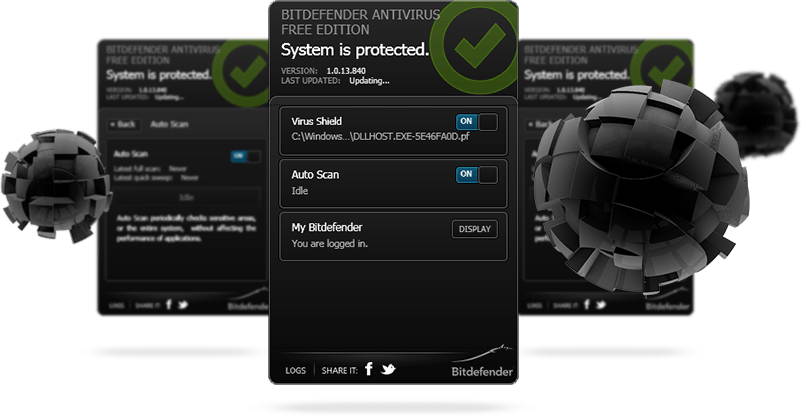

BitDefender Free Edition is a freeware antivirus scanner for Windows users who need to check a computer for malware and remove detected threats. It is designed for on-demand scans rather than as a complete, always-on security suite, making it useful as a secondary scanner or in system recovery and forensic work. Its interface brings scan controls and a brief virus report together in a dashboard, while a separate system information panel shows running processes, startup items and active services.
The antivirus scanner checks files and selected areas of a system for known viruses, then can remove or repair infected items. Behavioral analysis supplements signature matching: B-HAVE runs suspicious software in a virtual environment and looks for actions associated with malware, which can help identify threats before a matching signature is available. Spyware scanning uses a signature database to find and clean known spyware, and a separate rootkit tool searches for concealed malicious software and attempts to remove it.
Privacy protection checks outgoing web and email traffic for sensitive information, including payment-card details and user-defined text. The setup wizard helps configure update preferences and scan scheduling, while the dashboard and system overview provide quick ways to review scan results and basic system activity. Updates can be downloaded directly or through a proxy, and the program can restore damaged or missing files by retrieving replacements from Bitdefender servers.
The program can serve as an additional malware check when investigating a potentially infected PC, or as a scanning utility in recovery and forensic workflows. Its on-demand design means it is not intended to provide the continuous protection expected from a full-time antivirus product, particularly on computers with an always-on internet connection. Scheduled scans and updated definitions help keep manual checks relevant, but they do not turn it into a real-time security suite.
BitDefender Free Edition is freeware and is offered for Windows, including Windows 10 and Windows 11. Its feature set centers on scanning, threat removal, system inspection and privacy checks rather than broader security tools. Users seeking continuous monitoring should choose a more comprehensive security solution; this edition is best suited to targeted scans and supplementary cleanup.