Faceless Internet Connection
... resources, ensuring smooth performance. In a world where online privacy is a growing concern, Faceless Internet Connection is a must-have. Download it today and enjoy a ...

WAIncognito is an open-source Chrome extension for WhatsApp Web that gives users control over read receipts and online visibility. It can prevent blue ticks from appearing when messages are read and let users appear offline while using the service. Toggleable controls provide a way to review chats more privately without replacing WhatsApp Web.
| Author: | tomer8007 |
| License: | Open Source |
| Price: | FREE |
| Released: | Oct 31, 2026 |
| File size: | 543 kB |
| Downloads: | 164 |
| Keywords: | messaging, whatsapp web privacy, user-friendly, invisible WhatApp, tomer8007, disable blue ticks, privacy protection, download WAIncognito, web browsing, WhatApp incognito, WhatApp, hide whatsapp read receipts, whatsapp privacy extension, receipt, Chrome, seen, incognito whatsapp web, WAIncognito free download, extension, WAIncognito, secure browsing, WhatApp invisible, presence, privacy, hide whatsapp online status, incognito mode, Chrome extension |
| Author URL: | https://chrome.google.com/webstore/detail/waincognito/alhmbbnlcggfcjjfihglopfopcbigmil |
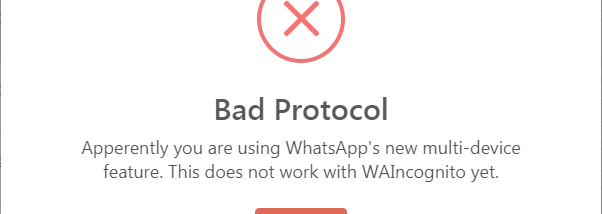

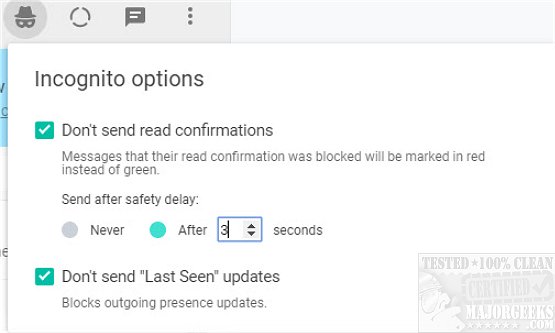


WAIncognito is an open-source Chrome extension for people who use WhatsApp Web and want more control over what their contacts can see. It adds options for reading messages without sending read receipts and for hiding online presence while using the web interface. These controls can be useful when someone wants to check a conversation privately or decide when to reply without signaling that a message has been viewed.
The read-receipt control prevents blue ticks from appearing when messages are opened in WhatsApp Web. This lets users review incoming messages without immediately notifying the sender that they have read them. It can provide more flexibility in busy conversations, where a person may need time to consider a response or may simply prefer not to disclose when they have seen a message.
A separate presence control allows users to appear offline while actively using WhatsApp Web. With online activity hidden, they can browse chats or continue using the service without broadcasting their current presence to contacts. The extension provides toggles for its privacy options, so users can enable or disable controls according to their preferences rather than changing how they use the entire browser.
WAIncognito is intended to work alongside WhatsApp Web, adding privacy controls without replacing the messaging service or its normal chat interface. Its focused purpose suits people who want to manage read receipts and visibility while continuing to use WhatsApp Web for everyday conversations. It may also help users avoid the expectation of an immediate reply that can come with visible read and online indicators. These controls affect what is shown to other participants; they do not remove messages or change the content of a conversation.
The extension is open source and is designed not to collect or store personal data. It is a Chrome extension rather than a standalone messaging application, so its use depends on accessing WhatsApp Web through Chrome. The Windows download is intended for 64-bit Windows 10 and Windows 11 systems. WAIncognito adds privacy choices to web messaging, while the underlying chats and account remain part of WhatsApp Web.