Convert XLS for Windows 10 - Full description
Convert XLS is a Windows utility for converting and preparing Excel workbooks. It is suited to analysts, business teams, administrators and developers who need to move spreadsheet data into formats used by other applications, process files in batches or build repeatable conversion tasks. It works with XLS and XLSX files and can export data to formats including CSV, TXT and XML.
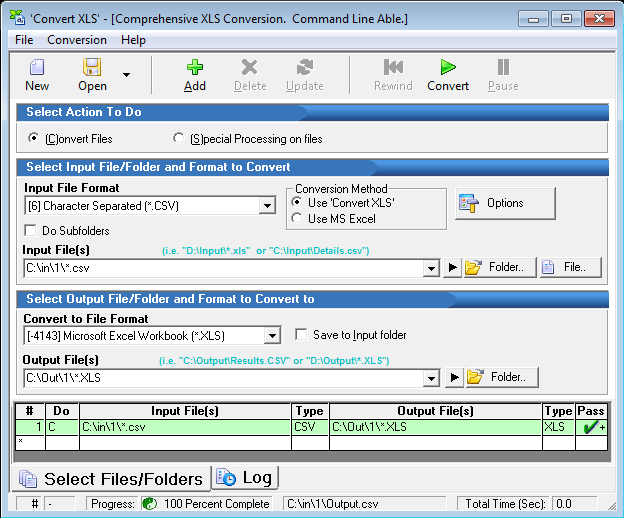
For routine conversions, users can select files and choose an output format through the graphical interface. Batch processing applies a conversion to multiple files in one run, reducing the need to open and save each workbook individually. This is useful when preparing recurring reports, transferring data between systems or handling folders of spreadsheets. The range of conversion options can be configured for different processing needs.
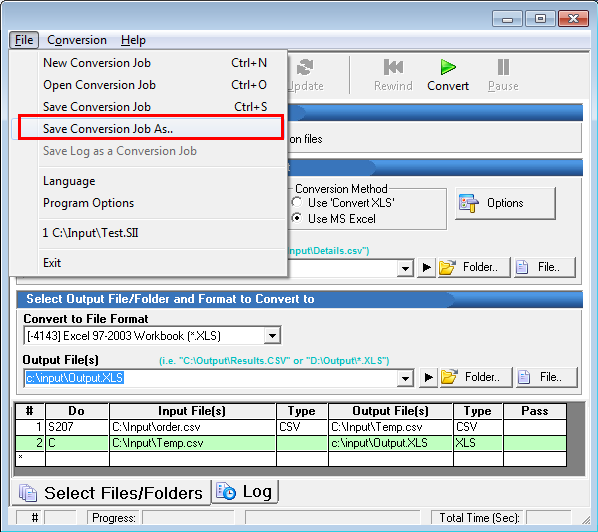
Command-line operation supports automation from scripts and existing workflows. Administrators and developers can set conversion options without manually using the interface, making it possible to include spreadsheet processing in scheduled or repeatable tasks. Logging and error reporting provide a record of processing and help identify files or operations that need attention when a batch does not complete as expected.
The program also includes data preparation tools for combining or dividing spreadsheet content. Users can merge multiple Excel files, split larger files into smaller ones and filter data according to specified criteria. These operations help produce focused datasets for analysis, distribution or import into another system. Together with file conversion, they cover several common steps involved in cleaning and reorganizing spreadsheet data.
Convert XLS is trialware from SoftInterface Inc. and is available for Windows 10 and Windows 11, as well as earlier Windows releases. Its interface serves users who prefer guided file handling, while command-line support accommodates more technical workflows. It is intended for work with Excel files and related data transformations; the appropriate output format depends on the requirements of the application that will use the converted data.