Disk Pulse Server x64 for Windows 10 - Full description
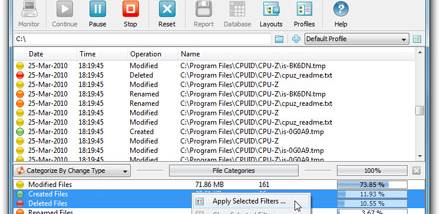
Disk Pulse Server x64 monitors disks and directories for file-system changes, making it useful for administrators and other users who need to track activity across storage locations. It watches selected paths and detects changes in real time, helping identify when files or folders are added, modified, renamed or removed. Monitoring can be applied to one or more locations, so activity across separate disks and directories can be reviewed through the same tool.
The program focuses on changes rather than general disk usage. Users choose the locations to watch and can use file filters to narrow which changes are relevant. Filters help focus monitoring on particular file types; additional criteria such as file size and user name can help categorize or exclude activity. This is useful when a busy directory produces more events than an administrator needs to inspect.
For operational workflows, DiskPulse editions offer ways to preserve or act on monitoring results. Reports can be saved in HTML, Excel-compatible CSV or plain text formats, while email notifications and custom commands can be used to pass detected activity to another process. These options support record keeping and automated responses, though available functions depend on the edition. The software also provides ways to review lists of changed files, with database export and command-line access available in some editions.
Typical uses include checking shared folders for unexpected changes, observing activity in application data directories, and keeping an eye on files stored across multiple disks. Filtering can make recurring checks more manageable by reducing results to the file categories or ownership details that matter to a particular task. It is a monitoring utility rather than a file-management or recovery tool: its purpose is to detect and report changes, not to edit or restore files.
Disk Pulse Server x64 is trialware for 64-bit Windows systems. The supplied platform information includes Windows Vista, Windows 7, Windows 8 and Windows 10 in x64 editions, as well as Windows 11. Its focus on continuously watching selected storage locations suits administrative and technical workflows where a record of filesystem activity is more useful than occasional manual inspection.