DualSafe Password Manager for Windows 10 - Full description
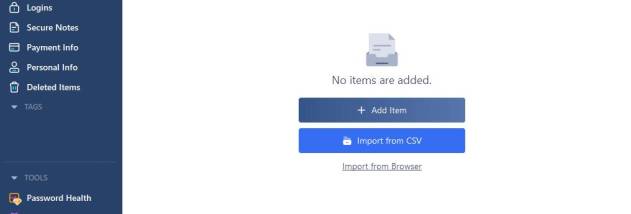
DualSafe Password Manager is a Windows password manager for people who want to keep website logins and other private details in one protected place. Instead of memorizing a separate password for every account, users unlock their stored information with one master password. The app can also hold secure notes, payment details and personal information, keeping these records together rather than scattered across browsers or files.
Saved logins can be used with DualSafe’s browser extensions, which help fill account credentials on websites and support a quicker sign-in workflow. The extension can also fill personal and payment information on supported sites. Users can choose to exclude particular websites from having login details saved, giving them control over which accounts are added to the manager. Browser support includes Firefox as well as other supported browsers.
The manager includes password health checks to help identify credentials that may need attention, along with dark web detection notifications that alert users to possible exposure of personal information. Import support makes it possible to bring saved data from other password managers, including Norton Password Manager, reducing the work involved in switching tools. Tags help organize stored items, while recovery-code support provides an additional account-recovery route.
DualSafe is suited to individuals managing many online accounts, as well as users who want a single place for credentials, payment information and private notes. It can be used for everyday website sign-ins, organizing sensitive records and reviewing password health. Autofill and browser integration are particularly useful for people who frequently move between online services.
The software is freeware from iTop Inc and is available for Windows 10 and Windows 11, with support also listed for Windows 7 and Windows 8. Its stated minimum requirements are a 1 GHz processor, 512 MB of RAM and 100 MB of free disk space. The interface is available in multiple languages, including English, Arabic, Chinese, Danish, Dutch, Finnish, French, German and Greek.