Windows Malicious Software Removal Tool - 64 bit for Windows 10 - Full description
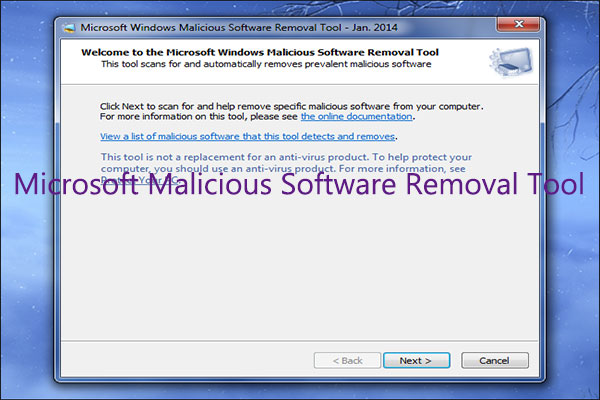
Microsoft Windows Malicious Software Removal Tool (MSRT) is a free Windows security utility for finding and removing selected prevalent malware infections. It is intended as a supplementary cleanup tool for home users and IT administrators, not as a replacement for antivirus software. MSRT focuses on a limited set of widespread threats, including certain viruses, worms and Trojan horses, rather than providing continuous, comprehensive protection against every type of malware.
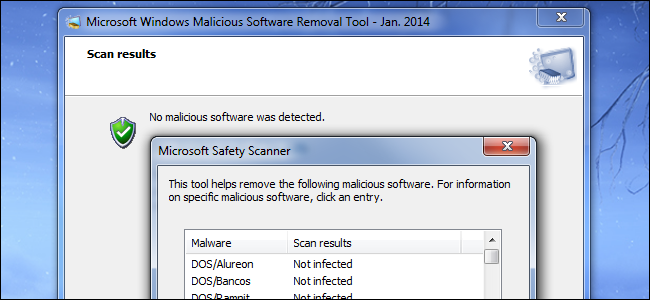
The tool scans a Windows computer for supported threats and removes infections it detects. Users can run a scan when they want to check a system or respond to a suspected infection; the utility reports its findings after the scan. Its focused purpose makes it useful for checking and cleaning known threats, while an installed antivirus product remains responsible for ongoing protection such as monitoring files and activity. MSRT is designed to work alongside other antivirus software.
For organizations, administrators can distribute and run the utility across multiple computers using Group Policy or other deployment methods. This allows IT teams to include targeted malware checks in maintenance and incident-response workflows without manually launching the tool on every workstation. The tool is also distributed through Windows Update, which provides a way for Windows systems to receive updated threat coverage as Microsoft revises it.
MSRT can be useful when a computer may have a prevalent infection, as an additional check alongside an antivirus scan, or as part of routine endpoint maintenance in a managed network. It is not intended to prevent infections in real time, detect every emerging threat, or replace security software that provides continuous protection. If a scan finds malware, users and administrators can review the results and follow up with their regular security tools and incident-handling procedures.
The utility is freeware from Microsoft. The supplied operating-system information includes Windows 10, Windows 8, Windows 7 and Windows Server 2008, in both 32-bit and 64-bit editions. This download is identified as the 64-bit edition, so the appropriate architecture should be selected for the target system. Its focused scanning and removal role makes it a practical addition to Windows cleanup and administration routines, rather than a standalone security suite.