Easy Picture2Icon for Windows 10 - Full description
Easy Picture2Icon is a lightweight Windows utility for turning pictures and digital photos into ICO files. It is suited to users who want to create desktop, folder or application icons from existing images without working in a dedicated icon editor. Images can be prepared in a graphical editor first, then opened in Easy Picture2Icon for conversion.
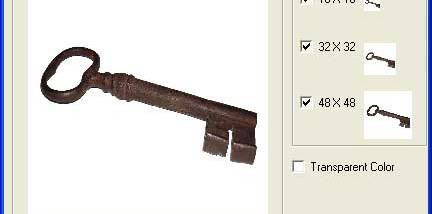
The program imports BMP, GIF, JPEG, JPG and PNG files and saves them as Windows icons. It supports 16×16, 32×32 and 48×48 icon sizes. Images can be resized to fit an icon, cropped at the edges, or resized while preserving their original proportions. These options help adapt photographs and artwork to the compact square format used by icons.
Easy Picture2Icon can create true-color icons, transparent icons and ICO files containing multiple icon sizes. For transparency, the user selects a color in the source image to make transparent. Including several sizes in one file lets Windows use a suitable version of the icon for different display contexts, while a single-image icon offers a simpler option for basic uses.
A typical workflow is to open an image, choose how it should be fitted to the icon dimensions, set transparency if needed, and save the result as an ICO file. The resulting icons can be used for Windows customization and in applications that accept ICO graphics. They can also serve as visual markers in planners or timetables.
Easy Picture2Icon is freeware and requires .NET Framework 2.0. Its supported Windows range extends from older releases through Windows 10; Windows 11 support is not established. The tool focuses on straightforward image-to-icon conversion rather than drawing or editing artwork, so detailed image adjustments are best made in a separate graphics editor before conversion.