Exlade RamDisk for Windows for Windows 10 - Full description
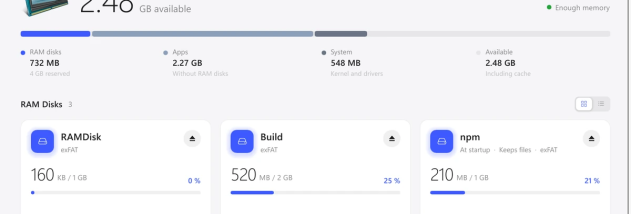
Exlade RamDisk makes disks in memory. Files on them are read and written at memory speed, not SSD speed, and builds, caches and temporary files no longer wear the SSD. A disk works like any other disk. On Windows, Linux and macOS 26 it takes memory as files are written, up to its size; on macOS 15 it takes its whole size at once. Its size can be changed without losing files; on Windows only NTFS disks change size in place, an exFAT or FAT32 disk has to be created again. Startup disks are created when the computer starts and keep their files: they are saved to the system disk on a schedule and before sleep and shutdown, older copies are kept, and they come back when the disk is created again. Templates create a disk of the right size and move app folders onto it. On Windows: the TEMP folder, browser caches and the caches of npm, Yarn, pip, Cargo, Gradle, Maven, Go and NuGet. On Linux: browser caches and the same package caches. On a Mac: Xcode's DerivedData and the npm cache, through the settings of Xcode and npm. Other folders are replaced by links, so apps keep their paths; TEMP on Windows is switched through its variables. Everything comes back when the disk is ejected. The usage history shows the memory of the last day and the size that would have been enough for each disk, and on Windows and macOS also the SSD writes that RAM disks took on. Disks can be encrypted on Windows and macOS. The eramdisk command-line tool does the same as the app, for scripts and servers. On Windows a disk has NTFS, exFAT or FAT32 and appears at a drive letter or in an NTFS folder. A service creates startup disks at boot, before anyone signs in. Administrator rights are needed only to install it. Windows 10 1607 and later, Windows 11, Windows Server 2016-2025 on x64, Windows 11 on ARM64. Light and dark theme, 16 languages. Exlade RamDisk is free for home and work, without registration, key or trial period.