Eye Saver 1.1 review by kalid (Dec 26, 2020)

for save my eye health

Eye Saver is a Windows utility for people who spend long periods at a computer. It combines a blue-light filter that gives the display a warmer appearance, a function intended to eliminate invisible backlight flickering, and a break timer with health advice. The timer encourages regular pauses, while the screen tools address display comfort. It is freeware and requires .NET Framework 4.5.
| Author: | Leosoft ltd. |
| License: | Freeware |
| Price: | FREE |
| Released: | Feb 20, 2018 |
| File size: | 2.34 MB |
| Downloads: | 2955 |
| Keywords: | eye comfort software, eye strain relief, Windows 10 application, blue light filter, Leosoft ltd, no flickering, Eye Saver, color temperature, x64 software, screen color temperature, screen protection software, flickering free, eye saver, computer break timer, monitor flicker reduction, eye strain |
| Author URL: | http://www.eye-saver.net |
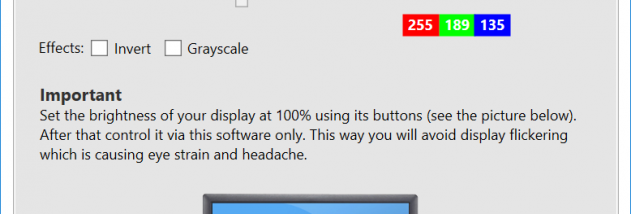

Eye Saver is a Windows utility for people who spend extended periods working at a computer and want tools to make screen use more comfortable. It combines a blue-light filter, a display flicker function and a break timer in one small desktop program. The controls address different parts of a computer routine: the filter changes the screen's color appearance, the flicker feature targets backlight flickering, and the timer encourages regular pauses.
The blue-light filter makes display colors warmer by filtering blue light. This can be useful during evening work or whenever a cooler screen feels uncomfortable. Because the filter changes how colors appear, it may not suit tasks that depend on accurate color reproduction, such as photo editing or design. Users can turn to the unfiltered display when color accuracy matters and use the warmer appearance for general reading or office work.
Eye Saver also includes a function intended to eliminate invisible display-backlight flickering, which can contribute to eye strain and headaches for some people. It works alongside the color filter as a separate part of the program's eye-comfort toolkit. The break timer provides reminders to pause and offers advice on maintaining healthy habits in front of the computer. This gives users a prompt to step away rather than relying only on their own sense of elapsed time.
The utility is suited to everyday computer use, including reading, office tasks and other long sessions at a monitor. Its combination of screen adjustment and timed reminders can support a more deliberate work routine, though it does not replace breaks, good lighting or other measures for reducing discomfort. People who need an unchanged display for color-sensitive work can avoid using the filter during those tasks.
Eye Saver is freeware from Leosoft Ltd. It is an English-language Windows application and requires .NET Framework 4.5. The stated system requirements include Windows 7, 8.1 and 10; the program is also cataloged for several older Windows editions. The installation file is approximately 2.4 MB.
for save my eye health