Hide Folders
... 10 users. With its sleek and intuitive interface, Hide Folders provides a seamless solution to safeguard your sensitive files and folders from prying eyes. This powerful tool ...

Folder Guard helps control access to files, folders and Windows resources on shared computers. It can hide selected items, password-protect data and restrict access to specific files and folders. Additional controls cover Windows settings, Control Panel options and USB drives. Administrators configure rules through its interface and can back up security settings for restoration after system changes. It is trialware for Windows PCs and servers.
| Author: | WinAbility Software Corporation |
| License: | Trialware |
| Price: | $49.95 |
| Released: | Mar 5, 2026 |
| File size: | 9.60 MB |
| Downloads: | 417 |
| Keywords: | password protect folders, folder protection software, user access control, password-secured folders, Folder Guard, WinAbility Software, folder guard, folderguard, file access control, security, files, file encryption, restrict usb access, data protection, hide folders, password, folder |
| Author URL: | https://www.winability.com/folderguard/ |


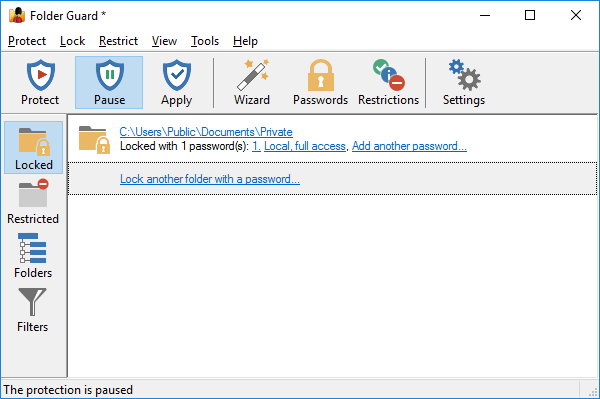
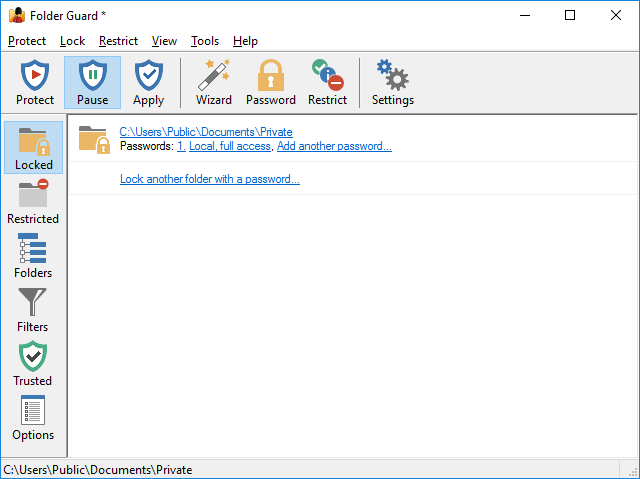


Folder Guard is a Windows security utility for people who share a computer or need to limit access to selected files, folders and system resources. It lets an administrator set rules for what other users can see or open, helping keep private material out of view and preventing unwanted changes. Its controls can be useful on a family PC, a workstation used by several employees or a managed Windows system.
The program can hide folders and files or protect them with a password. Hiding is useful when items should not appear during ordinary browsing, while password protection adds an access check for protected content. Folder Guard also lets users restrict access to chosen files and folders, so settings can be applied to particular items rather than treating all data alike. This makes it possible to keep shared documents available while limiting access to confidential records or personal files.
Protection extends beyond stored data. Folder Guard can restrict access to Windows settings and Control Panel options, and it can control the use of USB drives. These options help administrators reduce changes to a system or limit the ways information can be copied to removable storage. Security policies are configured and managed through the program's interface, with granular controls for users who need to tailor rules to different resources. A backup feature saves the security configuration so it can be restored after system changes or reinstallation.
Typical uses include hiding personal folders on a shared home computer, restricting access to work files on a shared workstation, and applying consistent limits to system tools or removable drives. It is intended to manage access within Windows rather than replace broader practices such as account management and data backups. The background operation is designed to keep protection in place during normal use; the program's settings can be reviewed when access needs change.
Folder Guard is commercial trialware from WinAbility Software Corporation. It supports Windows 10 and Windows 11, as well as several Windows Server releases and earlier Windows editions. The supplied platform information includes both 32-bit and 64-bit support for Windows 10 and Windows 8, and Windows 7. Availability of particular functions can depend on the system and the access rules configured.