Typograf font manager
Discover the world of fonts with Typograf font manager, a cutting-edge software developed by A. & ... to help you manage, preview, and organize your font collection with ease. Whether you're a graphic designer, ...

FontBase is a font manager for organizing and previewing typefaces. It supports predefined and custom collections, recent and favorite fonts, fast search, and side-by-side comparison by pinning a font. Users can adjust preview color, background, size, height and alignment, then edit sample text live to see how a typeface looks in context. Keyboard shortcuts speed up browsing.
| Author: | Dominik Levitsky Studio |
| License: | Shareware |
| Price: | $3.00 |
| Released: | Oct 7, 2026 |
| File size: | 108.00 MB |
| Downloads: | 188 |
| Keywords: | font viewer, Font, Font Viewer, user interface, font management, design tools, Viewer, font preview, Editor, font organizer, compare fonts, efficient organization, FontBase, customizable collections, Writing, typography, download FontBase, user-friendly interface, Dominik Levitsky, Font management, font collections, seamless integration, Edit Font, Font Manager, extensive font library, FontBase free download, font manager |
| Author URL: | https://fontba.se/ |
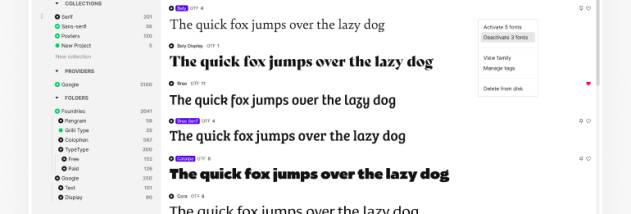
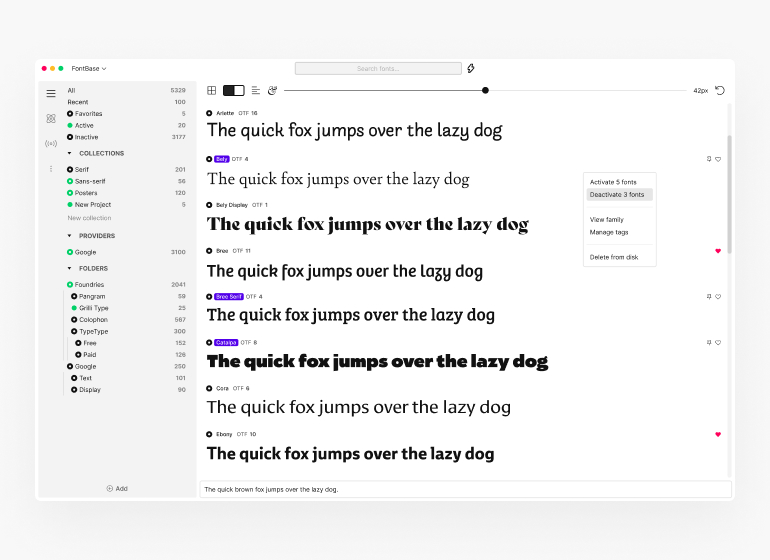



FontBase is a font manager for people who work with many typefaces and need a practical way to browse, organize and compare them. Its main window brings font previews and common controls together, so designers, writers and other users can inspect how fonts look before choosing them for a project. Rather than editing the underlying font files, its editing tools adjust the way font samples are displayed.
The preview controls let users change text color, background, size, height and alignment. These settings make it easier to assess a typeface in different visual conditions, such as checking readability at smaller sizes or comparing how a heading sits against a particular background. Live text editing allows sample wording to be changed while viewing the results, helping users judge a font with the characters and words relevant to their work.
FontBase includes predefined font packages as well as custom collections, which can group typefaces by project, style or intended use. Recent and favorites sections provide quick access to fonts that are being reviewed or used often. Search helps narrow down a large font library, and a pinning feature keeps one font at the top of the view while another is compared against it. Keyboard and mouse shortcuts support these tasks: Ctrl+F opens search, Enter starts live text editing, and Ctrl with the mouse wheel adjusts preview size.
These features suit workflows where font selection is an ongoing part of preparing layouts, documents or other design work. Collections can keep project choices organized, while the comparison view makes it easier to weigh alternatives without relying on memory. Preview adjustments and editable sample text are also useful when checking whether a typeface works for a particular title, paragraph or visual treatment.
FontBase is shareware and is available for Windows 10 and Windows 11, including 32-bit and 64-bit systems. Its interface uses an OS X-inspired design, which may look different from familiar Windows applications. The program focuses on browsing, previewing and organizing fonts, rather than serving as a full font-design tool.