Action!
... is your gateway to a world of high-quality screen recording, game streaming, and more. "Action!" is a versatile software that empowers you to capture and broadcast your gameplay, web player videos, record ...

GifCam is a lightweight Windows tool for recording a selected area of the desktop as an animated GIF. Its movable capture window can be positioned over a tutorial, application workflow, or gameplay clip. After recording, users can delete individual frames, adjust timing, add text annotations, and choose frame rates and color modes to balance smoothness, image quality, and file size.
| Author: | BahraniApps.com |
| License: | Freeware |
| Price: | FREE |
| Released: | Dec 11, 2024 |
| File size: | 737 kB |
| Downloads: | 176 |
| Keywords: | gif annotation tool, BahraniApps, GifCam, gif frame editor, screen recording, download GifCam, Capture GIF, gif screen recorder, animation tool, GifCam free download, GIF, record desktop gif, animated gif maker, GIF Editor, Record GIF, Windows 10 compatibility, software download, user-friendly interface, lightweight software, record, animated, GIF creation, capture, customizable settings, screen capture gif |
| Author URL: | https://blog.bahraniapps.com/ |
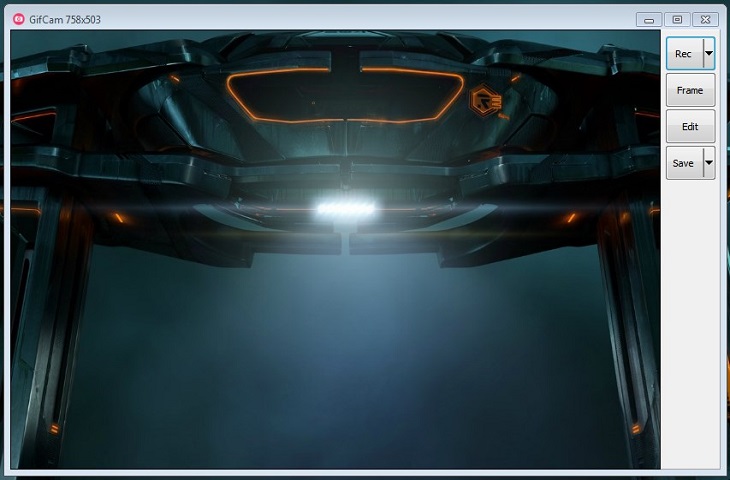
GifCam is a lightweight Windows screen recorder for making animated GIFs from desktop activity. It suits people who need short visual demonstrations or shareable clips without producing a full video. The recording window acts like a movable camera: position and resize it over the part of the screen to capture, then record the activity in that area. This makes it useful for showing a software feature, documenting a sequence of steps, or saving a brief moment from a game or other application.
After recording, GifCam lets users work directly with the captured frames. Individual frames can be deleted, and frame delays can be adjusted to change the pace of the animation. Text annotations can be added to clarify an action or label an important detail. These controls help trim pauses, correct timing, and add context before saving, all within the same program rather than moving the capture into a separate editor.
Recording options provide control over frame rate and color mode. Frame rate affects how smoothly movement appears, while color settings offer a way to balance visual quality against the size of the resulting GIF. This is useful when a clip needs to load quickly or fit a file-size limit, as well as when preserving detail matters more. The frame-by-frame workflow also makes it possible to refine a short capture without re-recording the entire screen activity.
Typical uses include creating concise tutorials, illustrating troubleshooting instructions, sharing interface changes, and capturing small gameplay moments. Because the output is an animated GIF, clips can be embedded in many documents, web pages, and messages without requiring viewers to open a video player. The tool is focused on screen-based GIF creation rather than broad video production, so it is best suited to short clips that benefit from simple edits and annotations.
GifCam is freeware for Windows, with support listed for Windows 10 and Windows 11 as well as earlier Windows releases. Its small footprint and focused interface make it practical on systems where a larger editing suite would be unnecessary. Users looking for advanced video editing, extensive effects, or workflows centered on other media formats may need additional software; GifCam concentrates on capturing a region of the screen and refining it as an animated GIF.