AudioSwitch for Windows 10 - Full description
AudioSwitch is a Windows utility for people who regularly use more than one audio output or recording device. It provides a tray-based way to choose which speakers, headphones, or other playback device handles system sound, and which microphone or other recording device is active. Instead of navigating Windows sound settings each time, users can make these selections from a compact menu near the notification area.
Clicking the AudioSwitch tray icon opens a list of available playback devices. Selecting an entry switches the active output, and the menu also lets users set a volume level for each playback device. Holding Ctrl while clicking the icon opens the recording-device menu, making it possible to change the active input through the same tray workflow. This is useful when moving between a headset and speakers, or when choosing a different microphone for calls or recording.
Configurable global hotkeys provide another way to control audio. Shortcuts can switch devices, adjust volume, or mute system sound, and users can choose key combinations for the actions they use most. An optional on-screen display can accompany individual shortcuts, giving visible feedback when a volume or device change occurs. Its skins, transparency, and display duration can be adjusted to suit the desktop and preferred level of notification.
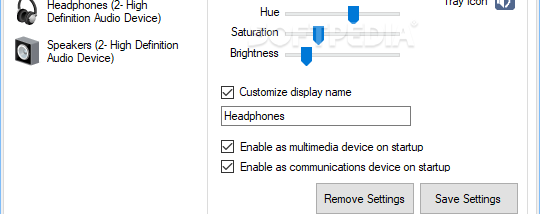
The utility also supports distinct tray icons for playback and recording devices, helping users recognize their selected or available equipment at a glance. These customization options complement the central device menus: occasional changes can be made with the mouse, while frequent changes can be assigned to keyboard shortcuts. AudioSwitch is intended for desktops with several sound devices, including setups where speakers, headphones, USB audio equipment, and microphones are regularly exchanged.
AudioSwitch is open-source software for Windows 10 and Windows 11, with support for 32-bit and 64-bit Windows 10 systems. Its controls are accessed from the system tray, and its device choices depend on the audio hardware and devices available to Windows. The program focuses on switching devices and basic audio controls rather than replacing a full audio mixer or device driver utility.