IngenPool Pro
... software developed by the renowned Ingenlab Software. This Windows 10 compatible software is a game-changer for pool tournament organizers, offering a comprehensive solution for managing ...

JADMaker creates JAD descriptor files for Java JAR archives, helping prepare older Java games and applications for installation on compatible mobile phones. Drop one or several archives onto its window, executable, or desktop shortcut to process them. An optional Windows Explorer context-menu command provides another quick route. Settings are saved in an XML file, and the portable freeware utility needs no special installation.
| Author: | Mingkun Goh |
| License: | Freeware |
| Price: | FREE |
| Released: | Jun 6, 2006 |
| File size: | 41 kB |
| Downloads: | 342 |
| Keywords: | telephone games, JADMaker, mobile java games, Windows 10 compatible, jad descriptor creator, application converter, jad, mobile Java games, jar to jad, batch jad generator, java game installer, JAD Maker, jar, Mingkun Goh, java, x64 software, jar to jad converter, jad file maker, java games |
| Author URL: | http://www.geocities.com/ |
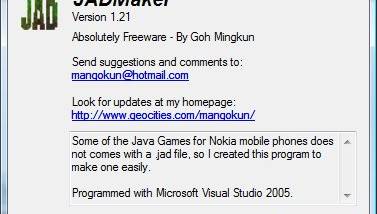

JADMaker is a small Windows utility for creating JAD descriptor files from Java JAR archives. These files were commonly used by older mobile phones to identify Java applications and provide the information needed to install them. It is useful for people maintaining Java games or other JAR-based applications for compatible phones, particularly when an archive does not include its own JAD file.
The main workflow is to drop a JAR file onto the open JADMaker window. The program generates a matching JAD file, avoiding the need to create the descriptor manually. Multiple JAR files can be selected and processed together, making it practical to prepare a collection of games or applications in one operation. Files can also be dropped directly onto the JADMaker executable or onto a desktop shortcut to it.
For quicker access from Windows Explorer, JADMaker can enable a Make JAD context-menu command. After enabling the extension in the program, users can right-click one or more JAR files and start descriptor generation from the file list. The same batch workflow applies, so several selected archives can be handled without opening them individually. An Always on Top option keeps the utility visible while working with other windows, and settings are saved in an XML file.
JADMaker is intended for a specific, older Java mobile software workflow rather than general archive management. Its output is useful when transferring compatible Java applications to phones that rely on JAD descriptors during installation; it does not replace the JAR archive itself. Whether an application will run depends on the target phone and the contents of the Java program, not only on creating a descriptor.
The utility is freeware and does not require a conventional installation. It can be placed in any folder with its required files, then launched directly or through a shortcut. It is designed for Windows, including Windows 10, and its straightforward drag-and-drop and Explorer options keep the process focused on generating JAD files from existing JAR archives.