Ghost Mouse Auto Clicker
... interval; it is not presented as a general-purpose macro recorder for building complex sequences of pointer movements and ...

Macro Recorder automates recurring desktop tasks by recording mouse movements, clicks, and keyboard input for playback. Users can edit recorded sequences, adjust playback speed, set execution conditions, and use smart recording to keep macros focused. A scripting feature supports more advanced workflows. It works with applications such as office software, browsers, and specialized desktop programs, and is available as trialware for Windows 10 and Windows 11.
| Author: | Bartels Media |
| License: | Trialware |
| Price: | FREE |
| Released: | May 28, 2025 |
| File size: | 43.80 MB |
| Downloads: | 152 |
| Keywords: | productivity, mouse, record mouse and keyboard, automate repetitive tasks, Record Macro, record, user-friendly, automation, desktop task automation, macro, record mouse clicks, macro recorder, Bartels Media, software, Macro Recorder free download, download Macro Recorder, macro scripting, macro recording, scripting, Macro Recorder, Task Automation, Mouse Recording |
| Author URL: | https://www.phraseexpress.com/ |



Macro Recorder is a Windows automation tool for people who repeat the same mouse and keyboard tasks in desktop applications. It records a sequence of actions and plays it back, helping with routine work such as entering data, testing software, or carrying out recurring steps in a browser or office program. Its recording-based approach makes basic automation accessible without requiring users to write a script for every task.
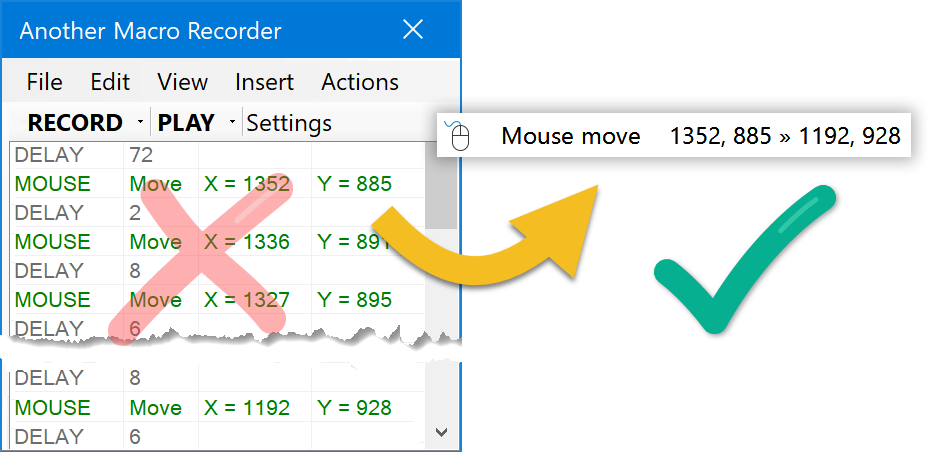
During a recording, the program captures mouse movements, clicks, and keyboard input. The saved sequence can then be replayed to repeat the task. This is useful when a process involves several actions that would otherwise need to be performed by hand each time. Smart recording can capture the actions needed for a macro while limiting unnecessary steps, which can make recordings easier to review and maintain.
Recorded macros can be edited, and playback speed can be adjusted to suit the task. These controls allow users to refine a sequence when the initial recording needs correction or when a different pace is more practical. Conditions can also be set for macro execution, providing a way to tailor when a recorded routine runs. For more advanced automation, the scripting feature lets users with programming experience customize workflows beyond straightforward recording and playback.
Typical uses include repeating data-entry sequences, running the same set of actions during software testing, and automating routine operations in applications such as Microsoft Office, web browsers, or specialized desktop software. The same recording can be reused whenever a task recurs, reducing manual input and helping make repeated procedures more consistent. The amount of automation depends on the actions the application permits and how reliably its interface responds during playback.
Macro Recorder is trialware from Bartels Media for Windows 10 and Windows 11, with support for 32-bit and 64-bit Windows 10. It is intended for desktop use, and macros are based on captured mouse and keyboard interactions rather than being limited to one named application. Users can begin with a recorded sequence and move to editing or scripting as their automation needs become more complex.