Microsoft Office 2016
Microsoft Office is a productivity suite for people who create documents, analyze information, prepare presentations and manage email. Its familiar desktop applications bring common office ...

Microsoft Office 2016 x64 is a 64-bit productivity suite for writing documents, working with spreadsheets, creating presentations, managing email and organizing notes. Word, Excel and PowerPoint handle core office tasks, while Outlook and OneNote support communication and information management. Shared documents and notebooks help teams coordinate work, and connected sign-in can make settings and files available across supported Windows devices. The suite is offered as trialware with a 60-day evaluation period.
| Author: | Microsoft |
| License: | Trialware |
| Price: | $149.99 |
| Released: | Jun 20, 2024 |
| File size: | 4100.00 MB |
| Downloads: | 3941 |
| Keywords: | Microsoft Office 2016, Spreadsheet management, x64 Office 2016, office email and calendar, Presentation creation, office productivity software, microsoft office trial, microsoft office suite, productivity suite, x64 PowerPoint Presentation, x64 SharePoint Workspace, word excel powerpoint, x64 Document Editor, x64 Office, spreadsheet and document editor, x64 software, Word processing, x64 Excel, x64 Word, office 365 x64 |
| Author URL: | https://www.microsoft.com |
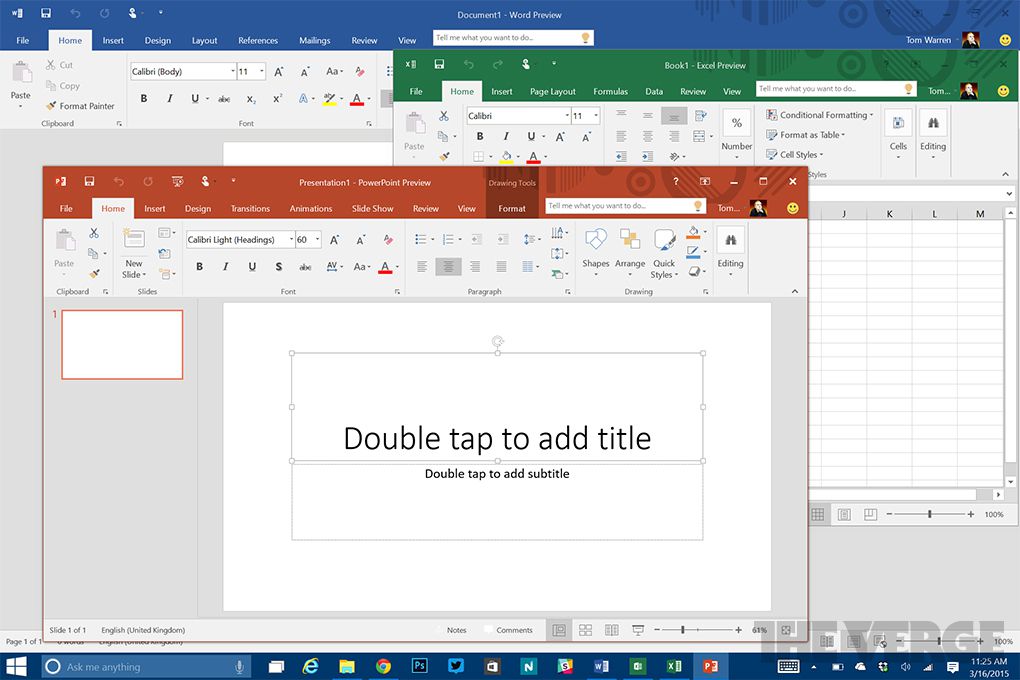

Microsoft Office 2016 x64 is a 64-bit productivity suite for creating documents, spreadsheets and presentations, managing email, and organizing notes. It is intended for home users, students and businesses that need familiar desktop tools for everyday office work. Its applications provide a shared interface and support working with files locally or collaborating through connected Microsoft services.
Word is used to write and format reports, letters and other documents, with layout and editing tools for preparing files for print or sharing. Excel organizes information in worksheets, where formulas, tables and charts help with calculations and analysis. PowerPoint builds slide presentations from text, images and other content. Outlook brings email, calendars and contacts together, while OneNote provides notebooks for collecting notes and reference material. The exact applications available can depend on the Office edition installed.
Office supports collaboration through shared documents and notebooks, helping groups keep work organized and view current material. Connected sign-in can make settings and documents available across supported Windows devices, and intelligent suggestions and contextual information can assist while working inside Office applications. Mobile Office apps provide another way to access and edit documents across Windows, Android and Apple devices.
The suite is suited to common tasks such as drafting coursework, preparing business reports, analyzing budgets, creating presentations and coordinating email and schedules. Its separate applications allow users to move between writing, calculations and presenting without converting their work into unrelated tools. People sharing files can use the relevant Office application to edit content and keep related materials together.
This x64 edition is intended for 64-bit Windows systems, including Windows 10 and Windows 11. It is trialware, with a 60-day evaluation period after which a license must be purchased to continue using the software. The installation package contains multiple applications and components, so setup can take time and requires adequate disk space. The 64-bit edition is appropriate for compatible 64-bit installations; users should verify that their Windows environment and any required add-ins support it.