MindManager for Windows 10 - Full description
MindManager is a visual planning and information-organizing application for people who need to turn ideas, research and project details into a clear, connected picture. Its mind maps begin with a central topic and expand through branches, making relationships and priorities easier to see than in a linear document. Teams and individuals can use maps to plan projects, develop strategies, prepare presentations or collect knowledge in one structured workspace.
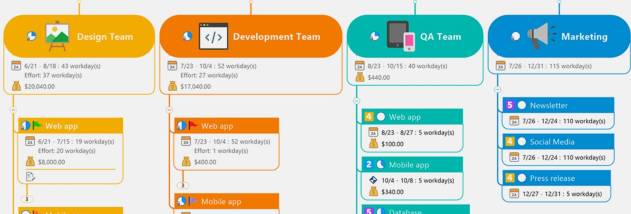
A map can hold more than brief labels. Topics can include notes, images, task details, hyperlinks and file attachments, keeping supporting material close to the ideas it explains. Links to websites, documents and other resources let users gather information from different sources without losing its context. For project work, tasks and priorities can be arranged on branches, while automated progress calculations help track how work is advancing. Filters can narrow a large map to the information needed for a particular review or decision.
MindManager also connects maps with familiar office and business content. Maps can link to or incorporate material from Word, Excel, PowerPoint and Project, as well as PDFs, web content, charts, lists and data. This gives users a way to bring project information together without replacing the documents and tools already used by their organization. Maps can be used to outline processes and best practices, show how responsibilities relate, and give colleagues a shared view of goals, roles and next steps.
For communication, a map can be turned into an interactive PDF that lets recipients navigate topics and follow links. This can make a plan or presentation easier to explore than a static outline, while keeping the original map available for updates. The visual structure is useful in planning meetings, brainstorming sessions, project reviews and briefings, especially when a group needs to understand both the overall objective and its component tasks. MindManager's collaboration options support sharing maps and working with others online; associated services can also provide shared workspaces, document sharing and web conferences.
MindManager is trialware from Mindjet for Windows. It is intended for users who want a visual alternative or supplement to documents, spreadsheets and presentations, rather than a replacement for those formats. Its maps can act as a central index for project information while linking to files and applications used to carry out the work. Availability of connected collaboration services and particular export options may depend on the product setup.