Moto assistant for Windows 10 - Full description
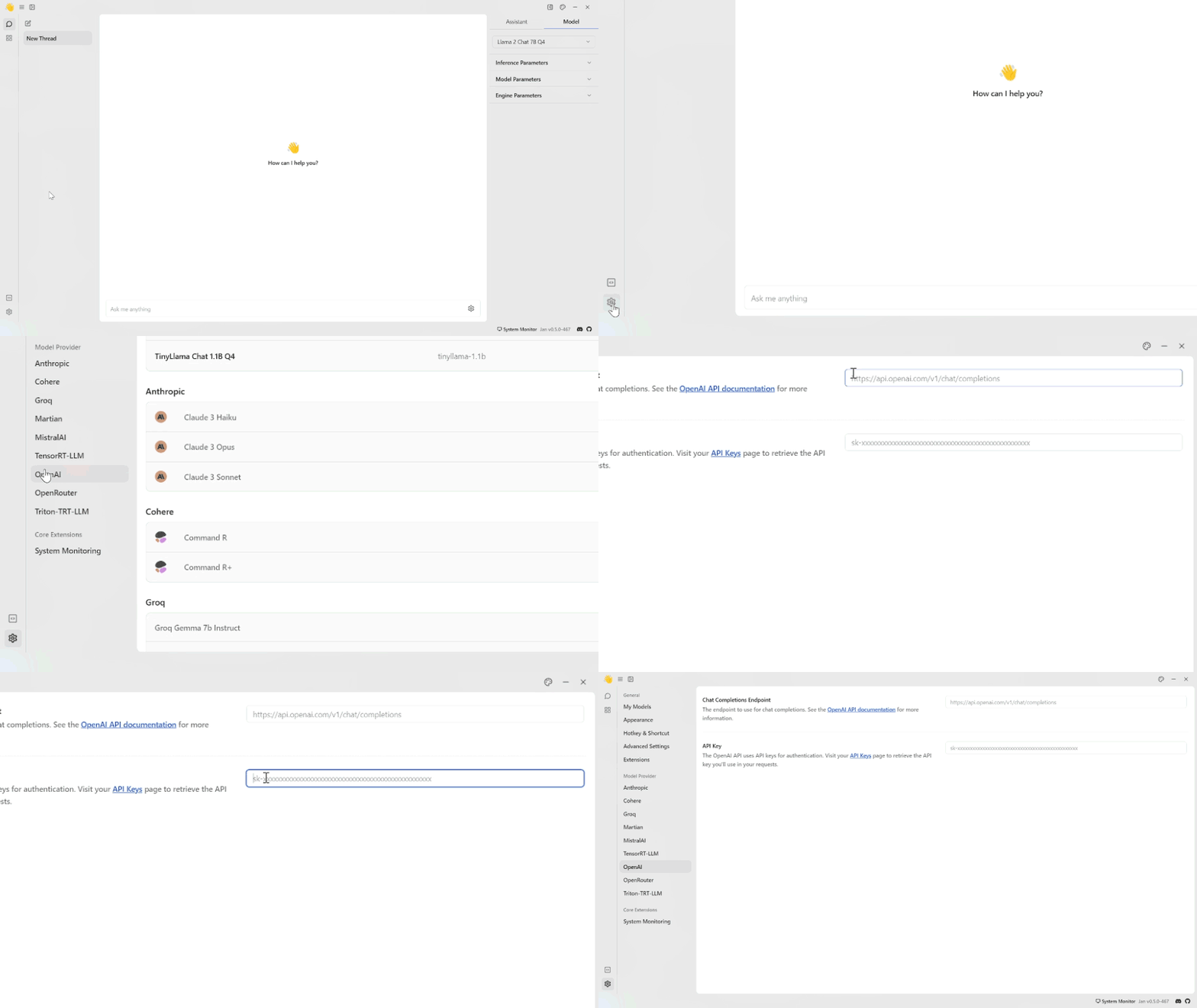
Jan is an open-source desktop AI assistant for people who want to chat with language models from a Windows computer. It can work with models running locally, so conversations do not have to rely on a hosted AI service. The app provides a graphical way to choose a model and interact with it, making local AI more accessible than configuring command-line tools. It can also connect to compatible remote model services when users prefer to use an online provider.
In Jan, a conversation begins by selecting an available model and entering a prompt in the chat interface. The model generates a response that can be followed up with additional questions, making the app useful for drafting, brainstorming, summarizing, explanations, and other text-based tasks. Model choice matters: different models vary in their capabilities and resource requirements, so users can try alternatives to find one that suits their needs and computer. Local inference also means performance depends in part on the installed model and available system resources.
The app is designed to bring model setup and everyday conversations into one desktop workspace. Users can manage their available models and return to the assistant interface to start or continue work. For developers and technically minded users, Jan also provides an OpenAI-compatible API server, which can let other applications communicate with a locally hosted model through a familiar interface. This offers a way to experiment with local AI in tools and workflows that support that API format, without requiring every interaction to happen in Jan's chat window.
Jan can serve as a private-feeling workspace for exploring prompts, working with written material, and testing how different models respond. It may also suit users who want to experiment with AI without committing to a particular hosted assistant, or developers who need a local model endpoint for prototyping. Running a model on the computer gives users more control over where processing happens, though connecting to an online provider involves that provider's service and data practices. The software does not replace the need to review AI-generated answers for accuracy.
Jan is open-source software available at no charge. This Windows download is intended for 64-bit editions of Windows 10 and Windows 11. Local model use requires downloading or otherwise making compatible models available, and larger models generally need more memory and processing capacity. The app's capabilities therefore depend on the chosen model, the computer's hardware, and whether the user selects a local or remote service.