Multi PDF Converter for Windows 10 - Full description
Multi PDF Converter is a desktop utility for moving content between PDF documents and image files. It is intended for people who need a straightforward way to extract pictures from PDFs or turn pictures into PDF documents, without opening a full-featured document editor. Its two conversion directions cover common tasks involving scanned pages, image-based documents and files that need to be handled in a different format.
For PDF-to-image work, the program accepts PDF files and extracts their pictures as image output. Multiple source files can be added in one operation, making it useful when several documents need the same kind of conversion. The available process options depend on the selected conversion type. One documented option can render multiple PDF documents into a single, lengthy picture, which may be useful when the pages need to be viewed or shared as one image rather than as separate PDF files.
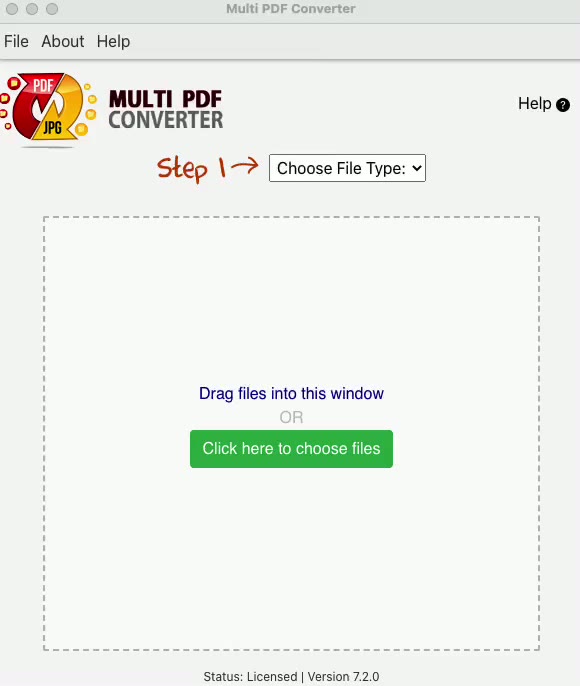
The reverse workflow converts image files, including JPGs, into PDF documents. Files can be brought into the main window by dragging and dropping them or by choosing them through the built-in browse dialog. The application can detect the type of files added by drag and drop and select a suitable conversion mode automatically. Users can also choose the mode from a drop-down menu, which is useful when they want to set the direction explicitly before starting a task. The conversion options change according to the selected process.
This focused workflow suits occasional format changes as well as batches of PDF files or images. It can help prepare pictures for use in a PDF-based document workflow, or make image content extracted from PDFs available in a picture format. The interface includes descriptions of its controls to guide users through the steps. Because its options differ between conversion modes, it is worth checking the selected mode and output behavior before processing a large group of files, especially when arranging multiple images into a PDF is the goal.
Multi PDF Converter is offered as demo software for 64-bit Windows 10 and Windows 11. Adobe AIR is required to run it, so that runtime needs to be installed on the computer. The program is a conversion tool rather than a general-purpose PDF reader or editor; its central tasks are extracting pictures from PDF files and converting pictures into PDF format. It is best suited to users who need those specific operations and prefer a simple file-based workflow.