NetBeans IDE for Windows 10 - Full description
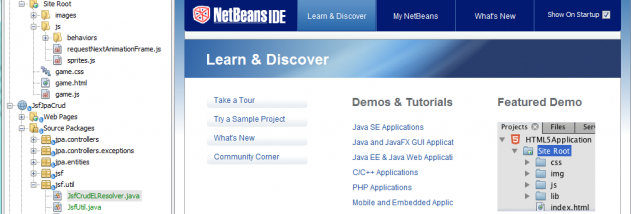
NetBeans IDE is a free, open-source development environment for programmers working with Java and other languages. Its modular design supports desktop, mobile and web application development, as well as HTML5 projects built with HTML, JavaScript and CSS. It also includes tools for PHP and C/C++, making it useful for developers who want a single workspace for different project types.
The integrated editor brings together code editing, project navigation and language-aware tools. Code analyzers help identify patterns and issues, while converters can assist with updating Java code to use newer language constructs. Batch analysis and conversion can search across multiple applications, which is useful when modernizing a collection of projects rather than editing files one by one. Debugger and profiler integration helps developers inspect program behavior and investigate performance during development.
NetBeans includes file versioning support and tools for working with templates and sample projects. IDE-wide QuickSearch finds matching files, types, symbols, menu actions, settings and help documentation across open projects and the development environment. This lets programmers locate code and IDE commands from one search rather than browsing menus and project trees separately. Collaboration features support shared development workflows, while the modular installation lets users select a feature bundle and add or remove capabilities through the Plugins Manager.
The IDE suits students learning programming, individual developers building applications and teams maintaining projects in supported languages. Java developers can use it throughout the coding and debugging process; web developers can work with HTML, JavaScript and CSS, while PHP and C/C++ programmers can add the relevant tools. Plugin options extend the environment to technologies including Java EE, Java ME, JavaFX, Ruby, Groovy, UML and SOA, depending on the modules installed.
NetBeans IDE is open source and available at no cost. It runs on Windows, Linux and macOS; this listing is for Windows 10 and Windows 11 users. The modular setup helps keep an installation focused on the languages and features needed for a particular workflow, and additional modules can be managed from within the IDE.