PDF Anti-Copy for Windows 10 - Full description
PDF Anti-Copy is a Windows utility for preparing PDF documents that need to remain readable while being harder to copy or convert into editable content. It is intended for individuals and organizations sharing materials such as reports, contracts, research papers, manuals, or marketing documents, where preserving the page appearance matters and casual text extraction is a concern.
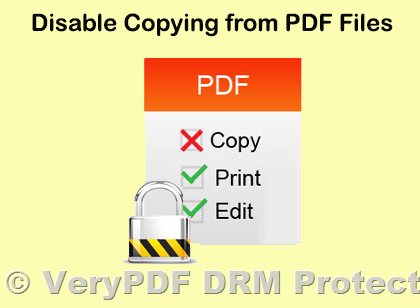
The program processes a selected PDF and creates a separate protected copy, leaving the source file intact. Its approach changes how document content is represented rather than relying only on password encryption. The resulting pages are designed to remain viewable, while making it more difficult to select text, copy it to the clipboard, or convert the document into an editable format. This can help discourage straightforward reuse of written content, though it should not be treated as a guarantee against every method of capture or reproduction.
Users can choose which pages to process, so protection can be applied to selected sections instead of the entire file. The workflow is focused on choosing a source PDF, setting the page range, and starting the conversion. The program generates a new file rather than overwriting the original, allowing the source to be retained for future editing or for producing a differently protected copy. Processing preserves the document's visual layout and quality, which is useful when page design, diagrams, or formatted text must remain legible.
The tool is suited to publishers, researchers, professionals, and businesses distributing material that should be consulted on screen but not readily reused as editable text. Examples include sending a draft report to reviewers, sharing a product guide with customers, or circulating a document containing proprietary information. Page selection also provides a practical option when only particular sections require this additional obstacle to copying.
PDF Anti-Copy is offered as demo software and runs on Windows, including Windows 10 and Windows 11, as well as several earlier Windows releases. Its purpose is specifically to make copying and conversion less convenient; it does not replace access controls, secure file sharing, or careful decisions about what information to distribute. Recipients may still capture visible content by other means, so sensitive material should be protected through appropriate security practices in addition to document processing.