pdfFactory Pro (x64)
pdfFactory Pro is a Windows PDF printer for creating PDF ... through a separate PDF tool, users print to pdfFactory Pro and assemble, edit and prepare the resulting ...

pdfFactory Pro creates PDFs through a printer workflow and provides a viewer for reviewing and organizing documents. It can combine print jobs into one file, rearrange, rotate, insert or delete pages, and add page numbers, headers, footers and watermarks. Bookmarks, tables of contents, form filling, text editing, signatures, encryption and password protection support document preparation and sharing.
| Author: | Fineprint |
| License: | Demo |
| Price: | $92.00 |
| Released: | Oct 6, 2026 |
| File size: | 28.30 MB |
| Downloads: | 482 |
| Keywords: | printer, pdf printer, Windows 10, Fineprint, add pdf bookmarks, pdf creator, pdf Factory, PDF creation, pdf page editor, professional PDF editor, combine pdf files, adobe, pdf document, pdf, password protect pdf, x64 software, pdfFactory Pro |
| Author URL: | https://fineprint.com/ |
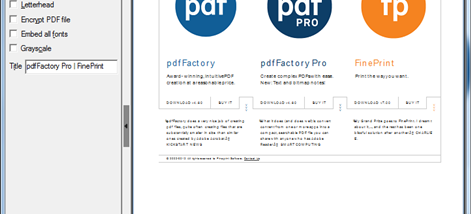

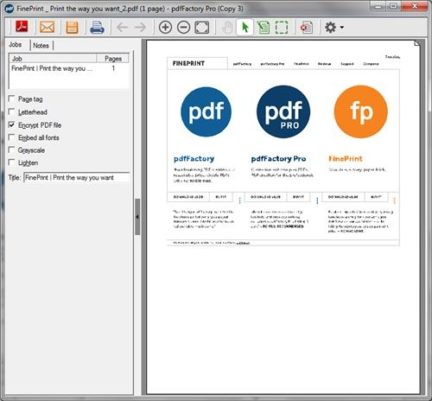



pdfFactory Pro is a Windows PDF creation and document-management program for people who need to produce, review and adjust PDFs from work created in other applications. Its printer-based workflow turns printable documents into PDFs, while a built-in viewer provides tools to inspect and organize pages before saving or sharing the result. The Pro edition adds controls for document structure, annotations and security beyond basic PDF creation.
Documents can be assembled from multiple print jobs, making it practical to combine material from different programs into one PDF without first exporting each part separately. The viewer lets users rearrange, rotate, insert or remove pages and check the assembled document before it is finalized. Zoom controls help with reviewing page details, and the finished file can be printed or sent by email.
For document finishing, pdfFactory Pro supports page numbers, headers and footers, and watermarks. Users can edit text and fill forms, create a table of contents, and add bookmarks for navigation through longer files. The Notes function can place signatures and initials in a document. PDF encryption and password protection provide controls for restricting access when files contain information that should not be openly shared.
The interface brings common viewing and page-management actions into a single workspace. Toolbars and buttons can be customized, along with interface colors and fonts, allowing users to keep frequently used controls accessible. These features suit office workflows such as preparing reports from several sources, adding navigation to lengthy documents, reviewing forms, or producing protected PDFs for distribution and archiving.
pdfFactory Pro is commercial software offered as a demo. It supports Windows 10 and Windows 11, as well as older Windows editions. As a PDF printer, it is useful for creating PDFs from applications that can print; its editing and organization tools are then available for refining the resulting document. The program combines creation, viewing and practical page-level management rather than serving only as a standalone reader.