Sticky Password PRO
Sticky Password PRO is a password manager and online form filler for people who ... signing in and completing web forms. It stores passwords and personal details for reuse, helping users keep ...

Portable KeePass Password Safe stores account credentials in an encrypted database protected by a master password, key file or combination of safeguards. It organizes entries into groups, searches saved records and generates passwords. Auto-Type can enter credentials into the active application, while attachments, URLs and plugins support additional workflows. Its portable form runs without a conventional installation.
| Author: | Dominik Reichl |
| License: | Open Source |
| Price: | FREE |
| Released: | Feb 5, 2024 |
| File size: | 3.20 MB |
| Downloads: | 498 |
| Keywords: | password, password generator, portable password manager, keepass password safe, password manager with auto type, password manager, secure password management, Portable KeePass Password Safe, Dominik Reichl, encrypted password database, encryptor, data encryption, Windows 10 compatible, x64 software, password vault, encrypt, password safe |
| Author URL: | https://keepass.info/ |
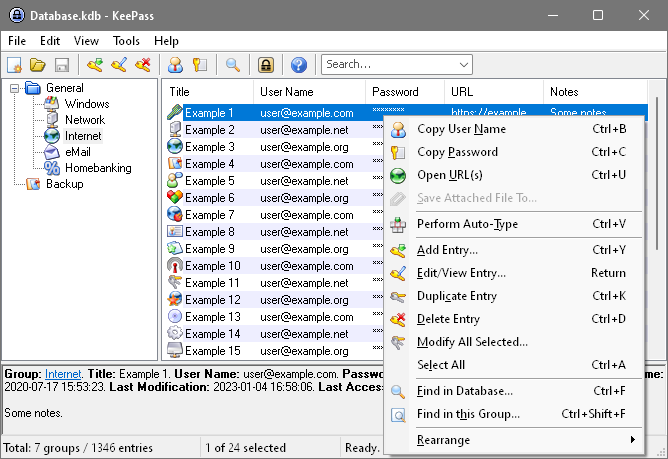


Portable KeePass Password Safe is a password manager for people who want to store account credentials in an encrypted database rather than reuse or memorize many separate passwords. Its portable form can be run without a conventional installation, making it useful on a personal Windows PC or when keeping the application and its database together for use in different locations. The database is protected by a master password, a key file, or a combination of these safeguards; a Windows account password can also be used as part of the unlocking process. The database itself is encrypted, so its contents are not stored as readable text.
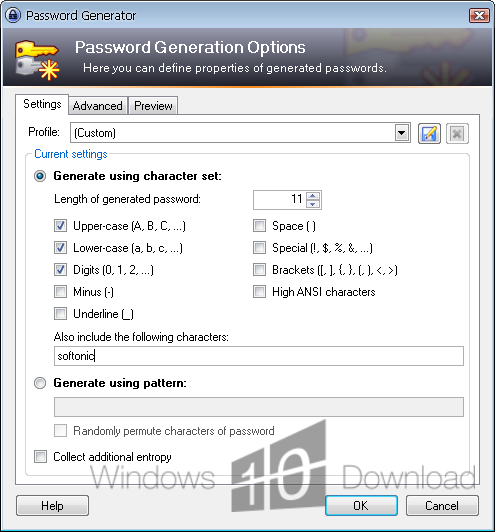
Entries hold details such as usernames, passwords, website addresses and notes, and can be arranged into groups to keep work, personal and other accounts separate. Search helps locate a saved record when the database grows, while the built-in password generator can create new passwords instead of relying on familiar phrases. KeePass can fill login details through its Auto-Type feature: the user selects an entry and the program types the configured fields into the active application. This is useful for software and websites that do not offer a direct browser integration, though it is important to check that the intended login window is active before triggering the sequence.
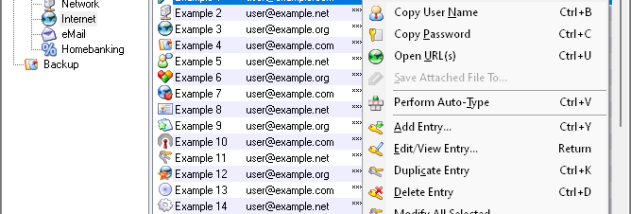
The database can also store file attachments alongside entries. Images, text documents and HTML files can be previewed from KeePass, while other attached files can be opened with an appropriate external program. Entries can include URLs and be opened from their context menu. Import and export options help move records between formats, and plugins can extend the application for users who need additional workflows. The separate KPScript command-line tool supports scripted database tasks, making KeePass suitable for both straightforward personal organization and more customized setups.
A portable password manager depends on careful handling of its database and unlocking credentials. Users should keep a backup of the database and protect any key file separately; combining a master password with a key file adds another requirement for opening it. The portable application does not by itself synchronize changes between devices, so users who maintain multiple copies need to manage updates and backups deliberately. A master password should be difficult to guess and kept in a safe place, since losing the credentials needed to unlock an encrypted database can prevent access to its saved entries.
KeePass is free and open-source software for Windows, including Windows 10 and Windows 11. Its grouped records, generator, Auto-Type, attachments and extensibility make it a practical choice for individuals who prefer local control over a password collection and are comfortable managing their own database files. The portable edition is especially useful when avoiding installation is important, while the same database-centered approach also suits users who want a clear backup they can store and maintain themselves.