Messages Editor
Welcome to the home of the Messages Editor, an innovative software solution developed by the renowned ... platform for editing and managing your messages. Messages Editor is a versatile tool that allows you to ...

Portable PSPad is a standalone code editor for plain text and numerous programming languages. It runs without installation from removable memory and need not leave files on the host computer. It offers syntax highlighting, macros, HEX editing, bookmarks, auto-completion, clip storage, a hash generator, remote FTP editing without local copies, and Command Prompt execution.
| Author: | Jan Fiala |
| License: | Freeware |
| Price: | FREE |
| Released: | Oct 4, 2026 |
| File size: | 13.40 MB |
| Downloads: | 3 |
| Keywords: | Portable PSPad, download Portable PSPad, Portable PSPad free download, text editor, code editor, syntax highlighter, highlighter, editor, highlight, syntax, portable code editor, PSPad, syntax highlighting, macro recording, FTP client, hash generator |
| Author URL: | https://www.pspad.com/en/ |


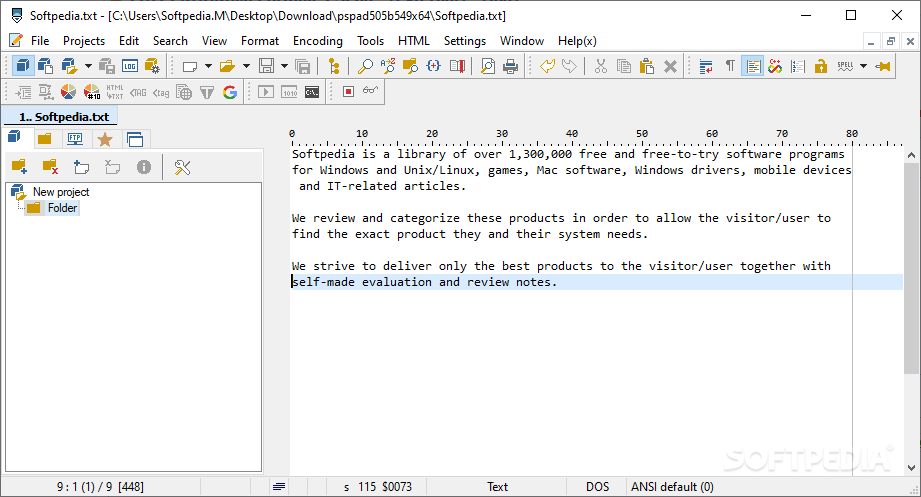

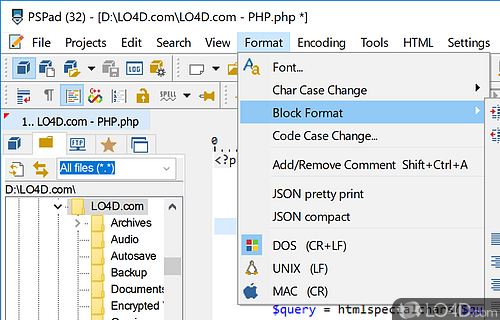
Portable PSPad is a standalone code editor for programmers, supporting plain text and numerous programming languages. It is available as freeware for Windows 11, Windows 10 32/64 bit, Windows 8 32/64 bit, and Windows 7 32/64 bit. It does not require installation: decompress the archive and run the executable. It can be stored on removable memory and used without leaving files on the host computer.
The editor supports file formats including TXT, XML, JS, VBS, BAS, ASM, PL, SQL, HTML, CSS, CPP, PDF, HXX, INI, XUL, and RDF, as well as other programming files. Features include customizable syntax highlighting, macro recording, HEX document editing, bookmarks, auto-completion, clips storage with a clipboard monitoring window, and a hash generator. Its FTP client can connect to a remote server and edit documents without downloading or storing them locally. It can also execute commands in Command Prompt.
To update to a developer build, replace the existing files with those from the latest full PSPad version. If PSPad is not installed, install the latest full version first.