MPlayer
MPlayer is an open-source media player for people who ... hardware scaling for fullscreen viewing. On supported systems, MPlayer can also send video to compatible MPEG decoder ...

SMPlayer is a free, open-source media player for Windows with a graphical interface to MPlayer and built-in codecs for playing common video and audio formats, including AVI, MP4, MKV and MOV. It remembers playback position and settings for each file, supports subtitle downloads and YouTube playback, and includes tools for adjusting speed, audio and subtitle delay, filters and video appearance.
| Author: | Ricardo Villalba |
| License: | Open Source |
| Price: | FREE |
| Released: | Oct 9, 2026 |
| File size: | 41.60 MB |
| Downloads: | 577 |
| Keywords: | multimedia player, SM Player, vob player, sm player, win dvd, Ricardo Villalba, media player with subtitles, mkv video player, open-source software, mkv player, avi player, youtube video player, smplayer, smplayer media player, mkv player codec, sm player free, free win dvd player, wmv codec, free win dvd, mkv player subtitle, free mkv player, Windows 10 compatible, x64 software, mplayer, Portable SMPlayer, avi file player, win dvd player, open source media player |
| Author URL: | https://www.smplayer.info/ |


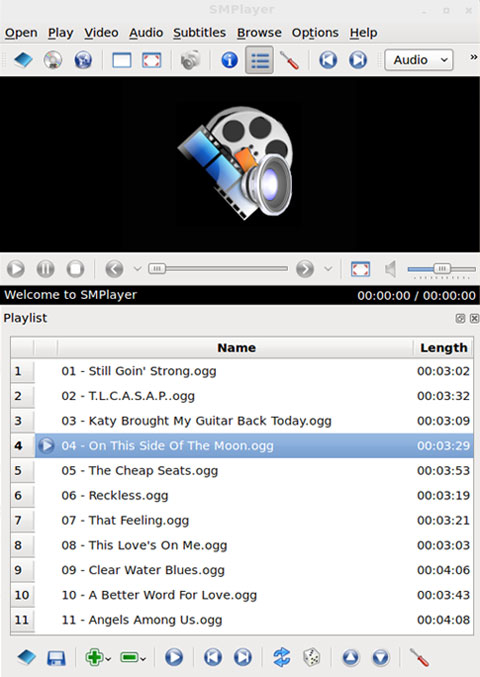




SMPlayer is a free, open-source media player for Windows that provides a graphical interface to MPlayer. It is suited to people who want to play a broad range of video and audio files without searching for separate codec packs. Common formats include AVI, MP4, MKV, MPEG, MOV, DivX and H.264. Built-in codecs handle playback, while familiar player controls make it practical for everyday viewing and listening.
A useful feature is per-file playback memory. When a film or other media file is reopened, SMPlayer can resume from the previous position and restore settings such as the selected audio track, subtitles and volume. This makes it easier to continue a movie after stopping, and avoids having to reset preferred tracks and levels each time. Playback speed controls also help when slowing down or speeding up content.
The player includes controls for adjusting audio and subtitle delay, which can help bring sound, captions and picture back into sync. Video and audio filters and a video equalizer provide further ways to adjust playback. Subtitle support includes a tool for finding and downloading subtitles. SMPlayer can also play YouTube videos and search for them through an included tool, so users can access online clips as well as files stored on a computer.
Appearance and language options allow the interface to suit different preferences. Several skins and icon themes are available, and the program supports more than 30 languages. Its MPlayer-based design brings a broad set of playback options into a graphical application, while remembered file-specific settings support a continuous viewing workflow across sessions.
SMPlayer is open-source software and is offered for Windows, including Windows 10 and Windows 11, as well as earlier Windows releases. It is intended for playing local audio and video files and YouTube content; the built-in codecs reduce the need to install external codec packs. The portable edition is aimed at users who prefer a portable package, though playback features remain those of SMPlayer.