.NET Framework 3.5 Offline Installer for Windows 10 and 8.x
Unlock the full potential of your Windows 10 and 8.x experience with the .NET Framework 3.5 Offline Installer by TechGainer. This essential software package provides ...

PortTrigger is a Windows utility that uses a router's port-triggering feature to open incoming ports for the computer running an application. It can help when a router has limited permanent port-forwarding slots, and can close triggered openings when the application stops using them. Users can switch computers without continually changing forwarding destinations or assigning each one a static local IP. The router must support port triggering and be configured for it.
| Author: | Portforward.com |
| License: | Demo |
| Price: | $39.95 |
| Released: | Mar 9, 2019 |
| File size: | 3.20 MB |
| Downloads: | 227 |
| Keywords: | software review, Portforward.com, open ports for applications, controler, router port control, port triggering utility, router control, automatic port triggering, Windows 10, port forwarding alternative, router port management, PortTrigger, x64 application, port, router configuration, network configuration, router, port capacity |
| Author URL: | http://www.portforward.com/ |
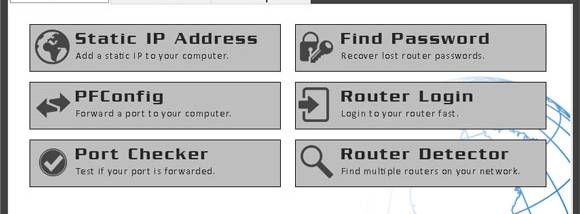

PortTrigger is a Windows networking utility for people who need inbound connections to reach applications on computers behind a home or small-office router. It uses the router's port-triggering feature as an alternative to maintaining multiple permanent port-forwarding rules. The program is intended for situations where the router has limited forwarding slots, or where the same application needs to be used from different computers on the local network.
With conventional port forwarding, a router sends incoming traffic for selected ports to a particular device, and those rules generally remain active until changed. PortTrigger instead works with port triggering: when the application is running on a computer, it signals the router to open the relevant ports for that computer. When the application is no longer keeping them active, the triggered openings can close. This can reduce the need to leave ports available when the associated software is not in use.
The approach can also help avoid assigning a static local IP address to every computer that uses the application. The router can respond to the computer running PortTrigger, so users do not have to repeatedly edit a forwarding destination when switching between machines. After the router has been configured to support the required triggering rules, PortTrigger can be run on the computer that needs incoming connections. The router must support port triggering; the utility does not replace router configuration or create support for routers that lack the feature.
Typical uses include network applications that require incoming connections, particularly when a router's permanent forwarding capacity is insufficient or several household computers take turns using the same application. Port triggering can limit how long the relevant ports remain open, but it is not a general firewall or a guarantee of security; the results depend on the router's behavior and configuration. Users should ensure that the ports and applications in use are appropriate for their network.
PortTrigger is distributed as demo software and is designed for Windows. The available system information lists Windows 7 and Windows 8, including 64-bit editions, and Windows 10, including 64-bit editions. Router compatibility and setup depend on the model and its port-triggering options.