OpenVPN Server Monitor
OpenVPN Server Monitor checks whether configured OpenVPN servers can accept a ... only on a server's own status reports. The monitor tests a connection using the credentials and client ...

ProcDump is an open-source command-line utility for malware researchers and security professionals examining running Windows processes. It dumps unpacked code from process memory to disk for further analysis or antivirus scanning. Users can compare process modules against hashes of known-clean processes, monitor processes before they terminate, and reconstruct PE headers and import tables for loose code chunks.
| Author: | Geoff McDonald |
| License: | Open Source |
| Price: | FREE |
| Released: | Oct 4, 2026 |
| File size: | 492 kB |
| Downloads: | 252 |
| Keywords: | process memory dumper, pe header reconstruction, process hash analysis, troubleshooting tool, Generate, process dump analysis, Microsoft ProcDump, Monitor Process, dump unpacked code, Application Monitor, x64 software, Crash Dump, system utilities, windows process analyzer, malware analysis tool, crash monitoring, Monitor, Generate Crash Dump |
| Author URL: | https://github.com/glmcdona/Process-Dump |

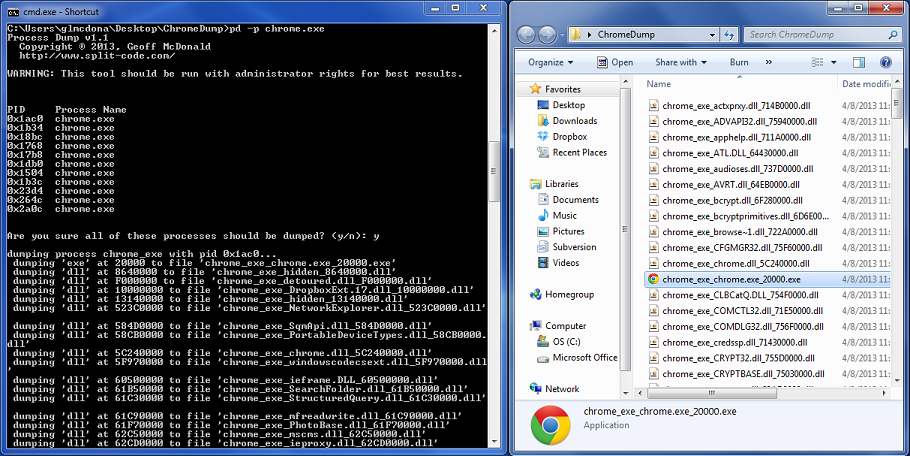


ProcDump is an open-source command-line utility for malware researchers and other security professionals investigating running Windows processes. It examines process memory and writes unpacked code to disk so the resulting files can be inspected or scanned with standard antivirus software. Its workflow is aimed at security analysis rather than routine task management: users create a database of hashes for known-clean processes, then use those reference hashes to identify modules that differ and may merit closer examination.
The utility can target a selected process or monitor processes as they run. In close monitor mode, it pauses and dumps a process before it terminates, which can help capture activity that would otherwise disappear when the process exits. For selected processes, ProcDump can dump modules whose hashes do not match the clean-process database. The database path can be supplied for the current session, allowing analysts to choose the reference file they want to use without changing the overall analysis workflow.
ProcDump also searches for loose code chunks in memory that are not associated with PE files. It can create a PE header and import table for each such chunk, turning otherwise difficult-to-inspect memory content into files that can be examined with familiar tools. When existing headers cannot be used, force mode can generate headers from scratch; the operation can be canceled, and aggressive import-table reconstruction can be disabled. These options give analysts control over how reconstructed output is produced and how much interpretation the utility attempts.
Processing behavior can be adjusted to suit the workload. The thread count defaults to 16 and can be changed to influence processing speed, while multithreading can be disabled if it places too much demand on system resources. This makes the tool useful both for focused investigation of a suspicious process and for broader examination where resource use needs to be managed. Its output supports follow-up analysis, including scanning dumped files with antivirus applications and investigating potentially packed or concealed code.
ProcDump runs on Windows 11, Windows 10, Windows 8 and Windows 7, with support for 32-bit and 64-bit processes. It does not require installation, but administrative privileges are needed to avoid permission errors when accessing processes. As a command-line tool, it is best suited to users comfortable working with process analysis and command-line workflows. The open-source utility is intended for security research and malware investigation.