PDF OwnerGuard Personal
PDF OwnerGuard Personal is a document protection and digital ... organizations that distribute sensitive or valuable material as PDF files. It lets document owners apply access rules ...

SepPDF is a lightweight utility for splitting PDF documents into separate files. Add documents to its file list by dragging and dropping them or using the built-in browse function, then run the split operation through a small set of controls. Its focused interface suits users who need PDF separation without a full document editor. The freeware runs on Windows 10 and 11.
| Author: | ForestH |
| License: | Freeware |
| Price: | FREE |
| Released: | Dec 20, 2024 |
| File size: | 225 kB |
| Downloads: | 242 |
| Keywords: | PDF, file splitter, pdf file separator, separate pdf pages, user-friendly interface, separate, SepPDF, split pdf document, split PDF, splitter, pdf splitter, Windows 10 software, PDF splitter, split pdf files, sepPDF, free pdf splitter, ForestH, decompose, split, x64 application |
| Author URL: | https://asahi-net.jp/en/ |



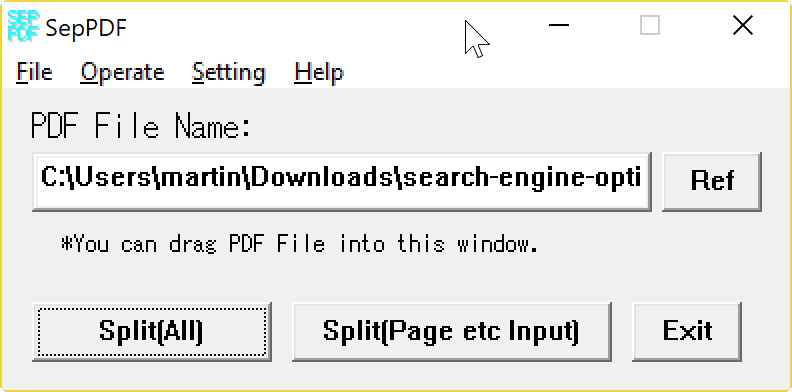



SepPDF is a compact utility for separating PDF documents into smaller files. It is intended for people who need a straightforward way to split a PDF without using a full document editor. Its focused interface keeps the task centered on selecting documents and running the split operation, making it suitable for occasional use as well as simple document workflows.
PDFs can be added to the file list by dragging and dropping them into the application or by using the built-in browse function. The list provides a place to assemble the documents before processing, so files do not have to be opened one at a time through a separate viewer. Once the required PDFs are selected, SepPDF handles the splitting task with only a few configuration options to consider.
The minimal set of controls makes the program easy to approach for users who only need a PDF splitter and do not want editing, annotation, or conversion features. Its small footprint also suits systems where a lightweight utility is preferable to a larger office or PDF suite. SepPDF is useful when a document needs to be divided for simpler sharing, filing, or handling in another workflow; the exact split arrangement should be checked in the application before processing if a particular output structure is required.
SepPDF is freeware from ForestH. It is available for Windows 10 and Windows 11, as well as older Windows releases, with 32-bit and 64-bit support noted for Windows 10 and earlier supported systems. The application is a focused choice for PDF separation rather than general-purpose PDF management, and its drag-and-drop and browse options provide two simple ways to begin working with files.