3nity Video Converter
Welcome to the home of 3nity Video Converter, a top-tier software developed by 3nity Softwares. This ... interface, it's designed to make the process of converting videos into different formats a breeze. 3nity Video ...

Sweet MIDI Converter turns MIDI music into MP3, WAV or AIFF audio and converts between MIDI format 0 and format 1. It renders files directly instead of recording playback from an external synthesizer or sound card, and batch mode processes multiple MIDI files in one operation. WAV output can be prepared for audio CD burning, while MP3 files work with compatible players.
| Author: | Roni Music |
| License: | Demo |
| Price: | $14.95 |
| Released: | Jun 15, 2022 |
| File size: | 3.00 MB |
| Downloads: | 339 |
| Keywords: | Windows 10 compatibility, midi format 0 converter, Sweet MIDI Converter, midi batch converter, convert midi files, midi to mp3 converter, MIDI to wave, midi to wav converter, audio processing software, MIDI converter, MIDI to MP3 conversion, MIDI to mp3, converter, midi to aiff converter, convert, x64 software, Roni Music, MIDI2mp3 |
| Author URL: | https://www.ronimusic.com/ |
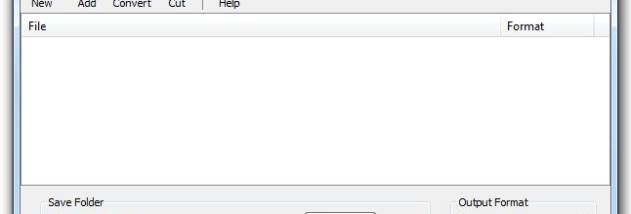

Sweet MIDI Converter is a desktop utility for turning MIDI music files into audio formats and changing between the two common MIDI file types. It is suited to musicians, composers and listeners who need to make MIDI arrangements playable in ordinary audio software or prepare files for sharing and disc playback. Rather than capturing sound from an external synthesizer or sound card, it renders audio files directly from MIDI data.
The converter can create MP3 files for playback in software and devices that support MP3, including iTunes and Windows Media Player. It can also export WAV files on Windows or AIFF files for Mac-compatible workflows. These audio formats make MIDI compositions usable with regular audio players, and WAV output can be prepared for burning to an audio CD. The program also converts MIDI format 0 files to format 1 and format 1 files to format 0, helping adapt a file to the requirements of another application or workflow.
Batch processing lets users convert multiple MIDI files in one operation, rather than opening and exporting each file separately. The software can process an unlimited number of MIDI files in batch mode, which is useful for converting a music collection or preparing a set of arrangements. Direct rendering also means conversion does not depend on recording the playback from a separate synthesizer or sound card, and the output can be produced faster than the time it takes to play the MIDI music in real time.
Sweet MIDI Converter can be used to make MIDI compositions available for portable MP3 playback, create audio versions for common media players, prepare WAV files for CD burning, or change MIDI formats for compatibility with other music tools. It focuses on conversion rather than serving as a general-purpose audio editor or MIDI composition environment.
The program is commercial software offered as a demo. It supports Windows 10 and Windows 11, as well as earlier Windows releases. Audio export options include WAV, AIFF and MP3, while MIDI conversion covers formats 0 and 1. Output is rendered directly from the MIDI file rather than captured from an external playback device.