TIPP10 Portable
TIPP10 Portable is a touch-typing tutor for people learning to type without watching the keyboard, as well as for typists who want to improve their ...

TIPP10 is a free, open-source touch-typing tutor for learners who want to type without looking at the keyboard. Its intelligent lessons provide structured practice, while support functions help learners work through exercises. A progress tracker records results, and a typing game offers a different way to practise. Users can choose topical lessons, add open lessons or create custom exercises to suit their needs.
| Author: | Tom Thielicke IT Solutions |
| License: | Open Source |
| Price: | FREE |
| Released: | Mar 17, 2011 |
| File size: | 4.20 MB |
| Downloads: | 351 |
| Keywords: | keyboard typing trainer, intelligent text selection, Typing, TIPP10, Typing Tutor, Keyboard, touch typing software, Typing Exercise, Touch Typing, customizable user interface, open-source software, touch typing tutor, typing game, Tom Thielicke IT Solutions, custom typing exercises, Tutor, typing practice software, typing lessons |
| Author URL: | http://www.tipp10.com/ |


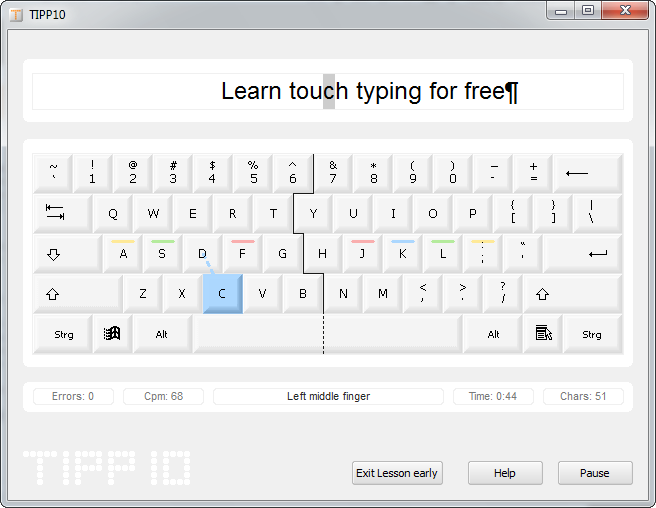
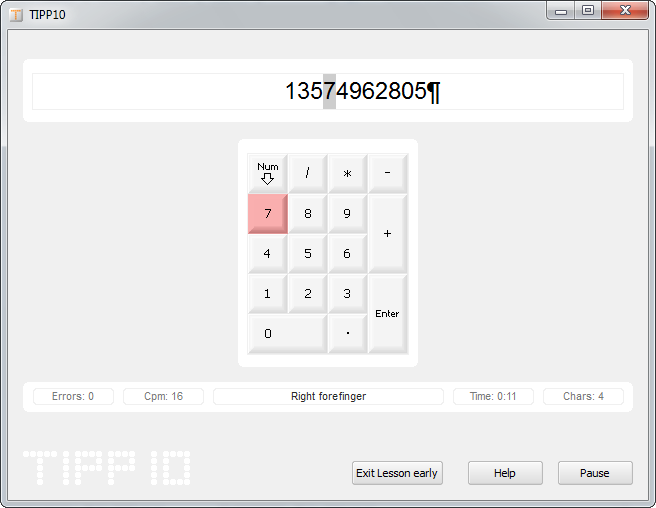

TIPP10 is a free, open-source touch-typing tutor for people learning to type without watching the keyboard and for typists who want to build more consistent habits. Its clear interface helps beginners get started with structured practice, while children and more experienced users can work at their own pace. Lessons focus on typing accuracy and speed, and the program's progress tracking helps learners see how their practice develops over time.
Practice is organized into lessons that present text for the learner to type. TIPP10 responds to typing performance with intelligent practice, helping users concentrate on the keys and areas where they need more work. Topical lessons offer different material to practise, so sessions can be varied rather than limited to a single exercise. The approach is suited to regular short sessions as well as longer periods of focused training.
A progress tracker records learning results and makes it possible to review improvement across practice. Support functions assist learners while they work through exercises, and a typing game provides an alternative to lesson-based practice. For a more tailored routine, users can extend the program with open lessons or create their own exercises. Custom material can be useful for practising particular text, key combinations or vocabulary, or for adapting exercises to an individual learner.
TIPP10 can be used by individuals learning touch typing, families supporting children's keyboard skills, and anyone seeking a structured way to practise at a computer. Teachers and trainers can also use custom lessons to prepare exercises around specific learning needs. The mix of guided lessons, feedback, progress records and optional game play supports both independent study and repeated classroom practice.
The program is available for Windows, macOS and Linux, and is distributed as open-source software at no cost. Windows support includes Windows 10. The interface and lesson-based workflow are intended to let learners begin practising directly, without needing to set up a separate course or typing curriculum.