TransLT for Windows 10 - Full description
TransLT is a geodetic coordinate transformation application for specialists working with GPS data and reference coordinate systems. It calculates transformation parameters between coordinate systems and applies those parameters to coordinate data. Its EPSG database module helps users access information about established coordinate reference systems, while worksheet-based organization keeps parameter calculations arranged for review and reuse.
The software calculates parameters for one-dimensional transformations using one or five parameters, two-dimensional transformations using four, five or six, and three-dimensional transformations using seven to twelve. After each calculation, TransLT generates a report with information about the quality of the resulting values. These reports help geodetic professionals assess calculated parameters before applying them to coordinate data. Worksheets provide a practical way to organize separate calculations and their associated results.
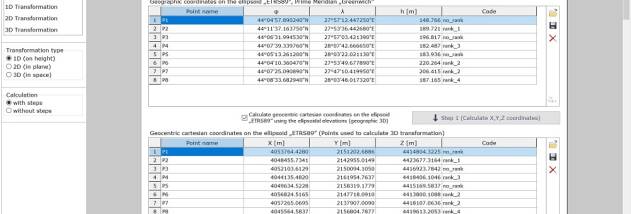
Coordinate conversion can be performed as a single 1D, 2D or 3D transformation, or as a sequence of multiple steps. A sequence can combine operations such as map-projection conversions, polynomial transformations, grid-file corrections and parameter-based transformations. Users can also include transformations defined by their own formulas. This step-by-step approach is useful when data must pass through several coordinate systems or correction operations rather than being handled in one conversion.
TransLT supports importing coordinate data from TXT and CSV files. Changes can be saved at each stage of a transformation, and complete multi-step workflows can be stored for later use. Saved transformations can be applied directly to files through a context-menu command in Windows Explorer, providing a file-based workflow for repeat conversion tasks. These features suit GPS and surveying work where coordinate datasets need consistent processing across multiple projects.
TransLT is trialware for Windows, including Windows 10 and Windows 11. It is intended for users familiar with geodetic coordinates and transformation workflows; its tools cover parameter calculation, quality reporting and the application of transformations to imported or selected files. The EPSG information module, custom formulas and reusable transformation sequences support work with varied reference systems and project requirements.