OCR in Windows 10
Welcome to the home of OCR in Windows 10, a revolutionary software developed by StellarTech Solutions. This ... text, enhancing your productivity and efficiency. OCR in Windows 10 is a game-changer in the world of Optical ...

unEbookWorkshop extracts source files from EXE e-books created with e-book Workshop. Open a compatible file, choose an output folder and start decompilation. Its batch mode processes a folder of e-books and skips files it does not recognize, helping users recover or organize contents from multiple titles.
| Author: | GuohuaSoft |
| License: | Trialware |
| Price: | $79.95 |
| Released: | Apr 17, 2009 |
| File size: | 881 kB |
| Downloads: | 427 |
| Keywords: | .EXE decompiler, ebook workshop extractor, extract files from ebook exe, eBook conversion, unEbookWorkshop, Zipghost.com, e-book, e-book extractor, Windows 10, ebook source file extractor, exe ebook extractor, decompiler, ebook decompiler, batch ebook decompiler, GuohuaSoft, extractor, x64 software, e-book decompiler |
| Author URL: | http://www.zipghost.com |
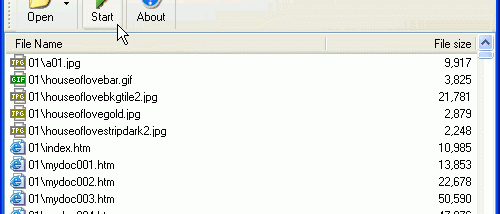

unEbookWorkshop is a Windows utility for extracting the original files from executable e-books created with e-book Workshop. It is intended for users who need to inspect, archive or reuse the contents of an e-book in its component-file form. The program works with this specific e-book format rather than serving as a general-purpose tool for unpacking arbitrary executable files.
For a single e-book, the workflow is straightforward: open the EXE file, start decompilation and choose an output folder. unEbookWorkshop saves the extracted source files there, making them available separately from the compiled e-book. This can help with examining how an e-book is assembled or recovering its included files for later reference.
A batch mode handles multiple e-books in one operation. Users select a folder containing e-book Workshop EXE files and a destination folder, then start the process. The utility processes the files it recognizes and automatically skips unknown e-books, which helps avoid treating unrelated executables as supported input. Batch extraction is useful when organizing a collection or processing several files with the same format.
The interface centers on selecting input, choosing where extracted files should go and starting the decompilation. Separate output folders can be used to keep recovered contents organized, especially when processing a batch. Because the tool is tied to e-books produced by e-book Workshop, it is not suitable for extracting files from every kind of self-extracting archive or compiled e-book.
unEbookWorkshop is trialware and is designed for Windows. Supported systems in the compatibility information range from older Windows releases through Windows 10; Windows 11 compatibility is not established here. The utility is most relevant to users who already have e-book Workshop EXE files and need their embedded source files outside the original executable.