PDF OwnerGuard Personal
PDF OwnerGuard Personal is a document protection and digital ... organizations that distribute sensitive or valuable material as PDF files. It lets document owners apply access rules ...

A-PDF Page Crop is a Windows utility for removing excess margins from PDF pages and preparing documents for printing or compact-screen reading. Its visual Crop Box Editor lets users move crop marks with the mouse, apply different rules to different pages, and save the result as a new PDF. It can also split one page into multiple cropped pages and includes a command-line tool for silent processing.
| Author: | A-PDF.com |
| License: | Demo |
| Price: | $31.50 |
| Released: | Dec 1, 2016 |
| File size: | 3.45 MB |
| Downloads: | 455 |
| Keywords: | split pdf page into pages, document cropping utility, A-PDF Page Crop, Windows 10 software, x64 application, crop pdf, pdf margin remover, A-PDF.com software, pdf crop box editor, pdf, prepare pdf for printing, margin, remove margin from pdf, PDF editing tool, command line pdf cropping, crop pdf margins, remove white space from pdf, remover |
| Author URL: | http://www.a-pdf.com/ |
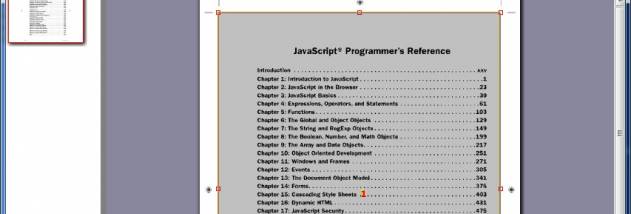

A-PDF Page Crop is a Windows desktop utility for changing the visible page area of PDF documents. It is intended for people who need to remove excess white space, prepare pages for printing on a different paper size, or make documents easier to read on compact e-readers. Rather than editing the original content, it adjusts page crop areas so that less useful margins are excluded from the page view or output.
The central tool is a visual Crop Box Editor. It displays crop marks that can be moved with the mouse, letting users set the boundaries directly on a page instead of entering measurements. After arranging the crop boxes, they can use Crop and Save as to create a cropped PDF. Different pages can have different crop rules, which is useful when a document mixes page layouts or when the content is not consistently positioned. The software can process large, multi-page documents, applying the chosen crop settings across many pages.
A distinctive option divides a page into multiple cropped pages. This can help when a small article is centered on a larger sheet, or when content needs to be split for printing on another paper format. For example, a document laid out for Letter paper can be adjusted for A4 printing, and the reverse situation can also be handled. Cropping away surrounding blank space can reduce wasted paper and make the printed text occupy more of the available area.
The same approach can adapt standard-sized PDF pages for compact reading devices. Removing unnecessary margins gives the document content more room on a smaller display, which can make pages easier to view without changing the text itself. A command-line companion, PPCPCMD.exe, provides silent cropping through the Windows console for users who want to include PDF processing in scripts or repeatable workflows. The visual editor remains suited to jobs where page boundaries need to be inspected and adjusted by hand.
A-PDF Page Crop is distributed as demo software and runs as a standalone Windows program; it does not require Adobe Acrobat Pro. The supplied compatibility information includes Windows 10 and earlier Windows releases, but does not establish support for Windows 11. Its practical role is focused: it crops PDF pages and saves an adjusted document, rather than serving as a general-purpose PDF editor.