Driver Talent
Discover the power of seamless driver management with Driver Talent, a cutting-edge software developed by OSToto Co., Ltd. This Windows 10 compatible software is your one-stop solution for all driver-related ...

Advanced Driver Updater scans a Windows system and lists drivers it identifies as needing updates, with details such as name, version, age and status. Users can update individual drivers or process them together, create an ignore list, and back up or restore driver data. Settings cover storage locations, scheduled scans, interface language and startup behavior.
| Author: | Systweak Inc |
| License: | Demo |
| Price: | $35.95 |
| Released: | Oct 6, 2026 |
| File size: | 12.30 MB |
| Downloads: | 368 |
| Keywords: | driver optimization, restore drivers, driver updater, update system driver, automatic driver updates, driver backup software, driver scan utility, system performance enhancement, Advanced Driver Updater, driver, update device drivers, x64 software, updater, Systweak Inc., update, driver backup, Windows 10 compatible |
| Author URL: | https://www.systweakpdfeditor.com/ |
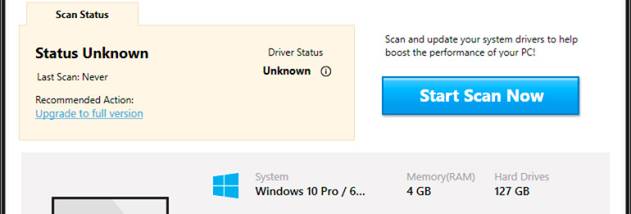



Advanced Driver Updater is a Windows utility for finding and updating device drivers. It is intended for people who want to check the drivers used by their computer without searching for each hardware component and its software manually. When the program starts, it scans the system and presents drivers it identifies as needing updates.
The results include information such as a driver's name, version, age and status, helping users review the available updates before applying them. Drivers can be updated one at a time or handled together with an option to update all. An ignore list can exclude selected items from future attention, which is useful when a driver should be left unchanged.
The utility also includes driver backup and restore functions. Backups provide a way to keep copies of driver data before making changes, while restore can be used to recover from those copies if needed. Settings allow users to choose where downloaded drivers and backup files are stored, schedule a one-time or recurring task, and configure whether the application starts with Windows. The interface language and the action taken when closing the program can also be adjusted.
These features suit routine driver maintenance, checking which installed drivers may be out of date, and keeping backup copies before updates. The scan results offer basic identifying details for review, while the individual update option provides more control than applying every available update at once. User documentation is included to help with the program's functions.
Advanced Driver Updater is distributed as demo software. It supports Windows 10 and Windows 11, as well as Windows 7 and Windows 8 in 32-bit and 64-bit editions. The settings for scheduling, startup behavior and storage locations help adapt the utility to different maintenance routines.