Audio Dedupe for Windows 10 - Full description
Audio Dedupe is a Windows utility for finding and managing duplicate files in music and other audio collections. It is useful for listeners with libraries spread across folders or stored in several formats, as well as DJs and other users who need to review large collections. Rather than relying only on filenames or tags, the program compares audio content, helping identify copies that have different names, formats or bitrates.
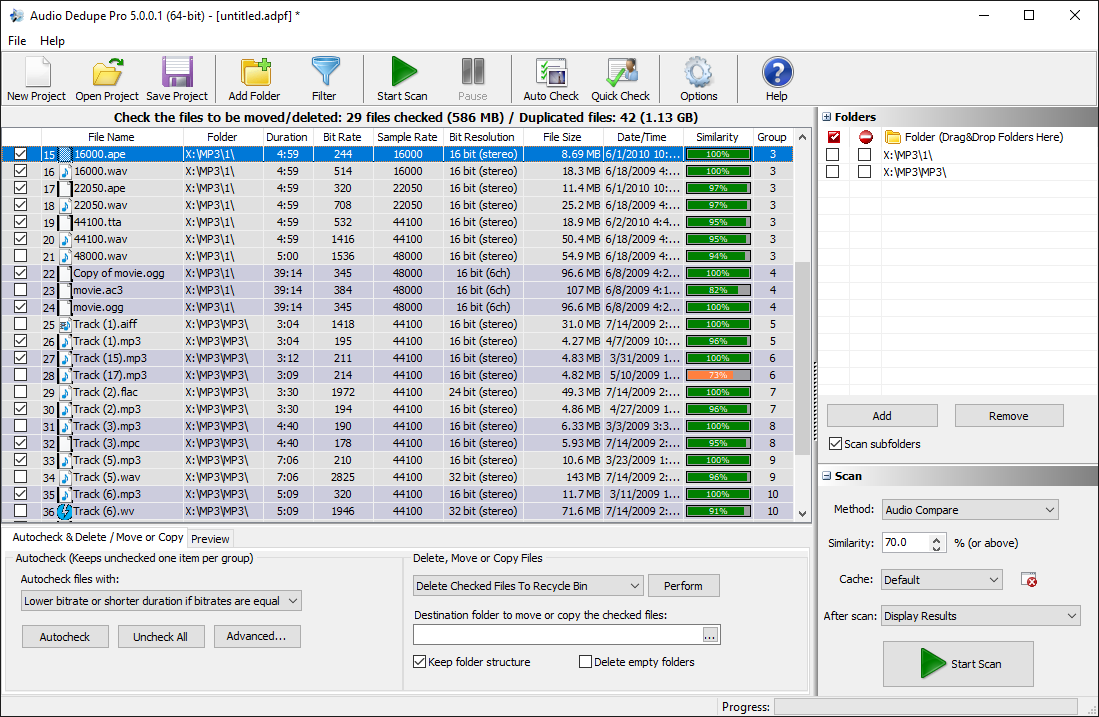
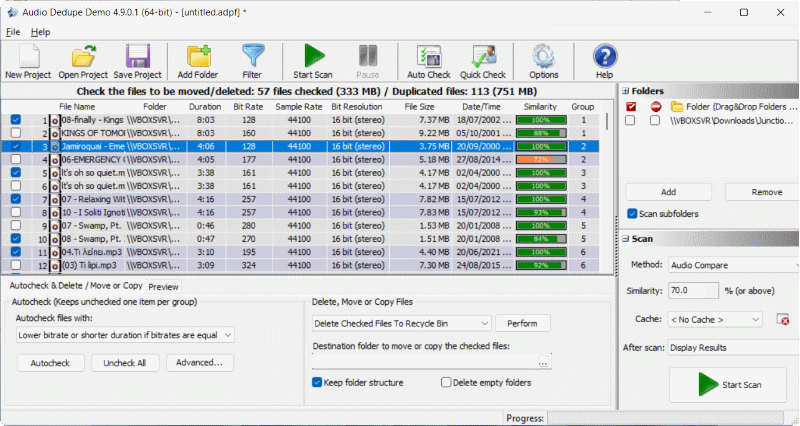
A scan gathers potential matches for review. Users can adjust the criteria used to decide whether tracks count as duplicates, which helps distinguish exact or close matches according to the needs of a collection. Content-based analysis is especially useful when the same recording has been renamed or converted to another format, cases that ordinary filename searches may miss. Audio Dedupe supports formats including MP3, WAV and AAC, along with other audio formats.
Before taking action, users can play tracks in the application to compare them and check which copy they want to keep. This preview step provides a practical safeguard when files have different qualities or metadata, and reduces the risk of removing a preferred version. After reviewing scan results, duplicates can be deleted or moved to a chosen folder; the program can also create a playlist of unique tracks. These options let users choose between removing unwanted files, setting them aside, or building a cleaner listening list.
The workflow suits periodic library cleanups as well as organizing audio gathered from multiple sources. A DJ can review similarly named or differently encoded tracks before making changes, while a home user can find redundant files to reclaim storage or make browsing a collection easier. Scanning, listening and selecting an action take place in one application, so users can check results rather than relying on an automatic deletion process.
Audio Dedupe is commercial software offered as a demo. It supports Windows 10 and Windows 11, as well as Windows 7 and Windows 8 in 32-bit and 64-bit editions. The program is intended for managing audio files on a Windows computer; users should review the matches and choose a suitable action before removing files they may want to keep.