BatchPatch for Windows 10 - Full description
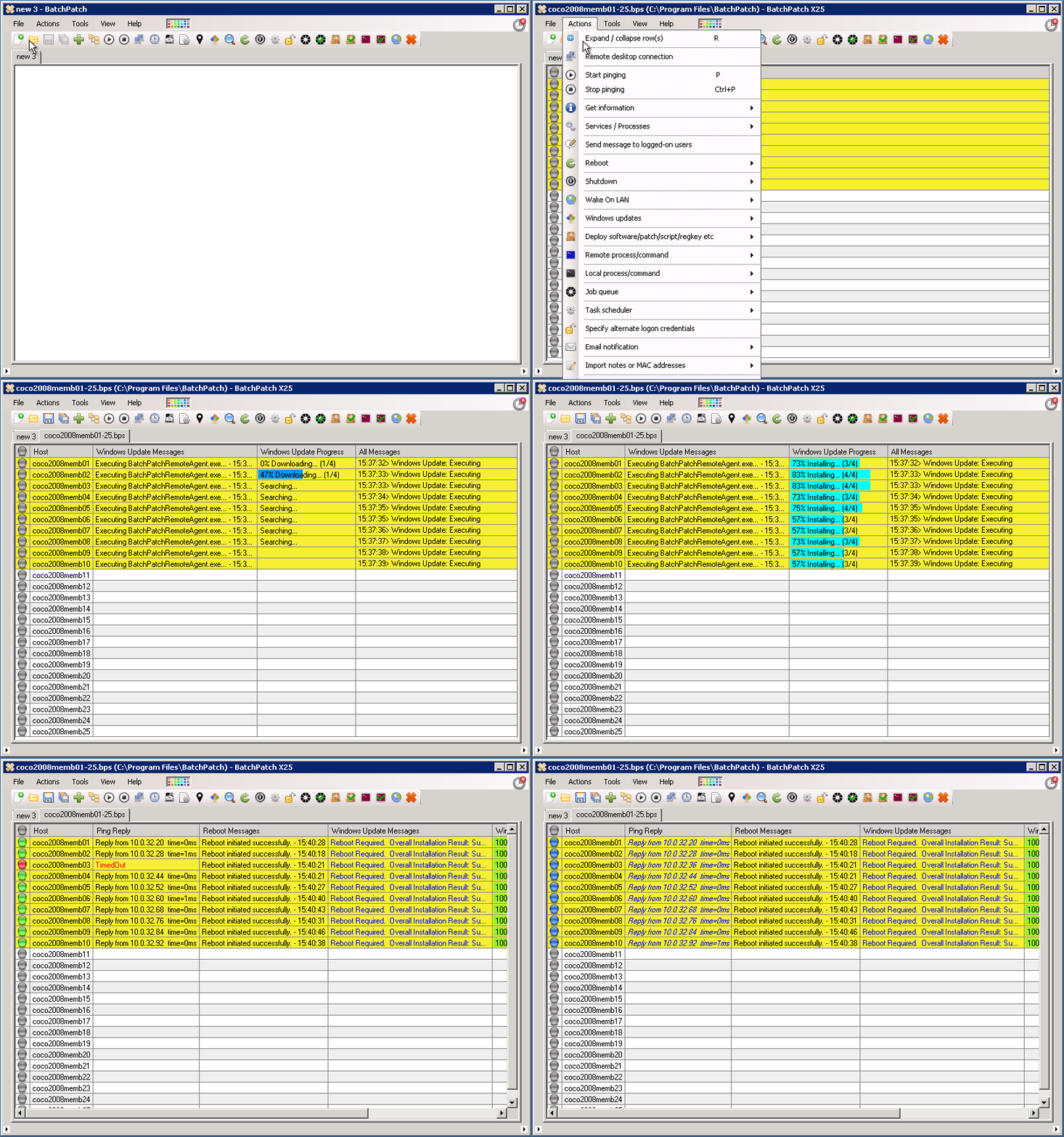
BatchPatch is a Windows administration tool for IT staff who maintain multiple computers and servers. It brings remote maintenance tasks into a single interface, helping administrators avoid switching between separate connections to manage each machine. Hosts can be arranged in detailed tables and separated into tabs, such as groups for servers and employee workstations, making larger collections easier to navigate.
The program can trigger Windows updates on remote computers, allowing administrators to coordinate patching across a fleet rather than visit each system individually. It can also deploy software to multiple machines, supporting routine setup and maintenance work. Administrators can create sequences of actions for a selected group of computers, so related tasks can be run in an organized order. This is useful when preparing new equipment or handling maintenance across systems with different capabilities.
For day-to-day oversight, BatchPatch can continuously ping listed computers to help identify machines with unreliable network connections. It can display hardware specifications, giving administrators a way to review the equipment they manage and tailor actions to its capabilities. The interface also provides access to running services, which can be inspected and stopped during troubleshooting. Remote tasks that require administrative privileges can include executing scripts, such as applying registry settings in line with organizational policies.
These tools suit system administrators responsible for office PCs, server groups, or mixed fleets that need regular updates and consistent configuration. A tabular host list offers a central view of the machines, while grouping helps keep different roles or locations distinct. Remote update and software deployment reduce the need to repeat routine work on each computer, and connection checks and service controls provide practical starting points when a system is difficult to reach or behaving unexpectedly.
BatchPatch is commercial software offered as a demo. It is intended for Windows environments, including Windows client computers and Windows Server systems. Administrators should ensure that the managed computers are reachable and that the credentials and permissions needed for remote administrative tasks are available. Its focus is fleet maintenance and remote administration rather than general-purpose personal computing.