BlueJ Portable
BlueJ is a Java development environment created for introductory ... only on source files to understand its organization. BlueJ also supports both graphical and textual editing, allowing ...

BlueJ is an integrated Java environment built for introductory programming and object-oriented learning. Its visual class diagram helps learners see how a project is organized, while the built-in editor and compiler support writing and checking code. Users can create objects and call methods interactively, making it easier to test small ideas and explore Java behavior without leaving the environment.
| Author: | University of Kent |
| License: | Freeware |
| Price: | FREE |
| Released: | Sep 20, 2022 |
| File size: | 234.00 MB |
| Downloads: | 330 |
| Keywords: | structure, interactive java testing, Java environment, environment, University of Kent software, Educational tool, learn java programming, bluej java ide, java programming environment, Java development, structure display, Object-oriented programming, java development tool, java class diagram, Code visualization, Java, Interactive interface, virtual machine |
| Author URL: | https://www.bluej.org/ |
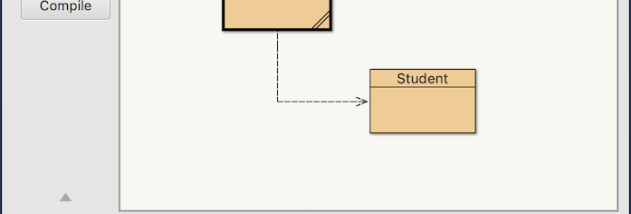

BlueJ is an integrated development environment for Java, designed primarily for introductory programming courses and learners who are new to object-oriented programming. Its interface presents a project's classes visually as well as in source code, helping students connect the structure of a program with the code that defines it. The environment encourages experimentation by making it possible to work with classes and objects directly, rather than relying only on a traditional edit-and-run cycle.
The built-in editor supports writing and changing Java source files, while the compiler helps identify errors as students develop a project. A graphical class structure display shows relationships between classes, giving learners a visual overview of how a program is organized. BlueJ also includes a debugger for examining program execution and a virtual machine for running Java code within the environment. These tools are integrated, so common development and learning tasks can be carried out in one workspace.
BlueJ's interactive features are intended to make Java concepts tangible. Users can create objects from classes and call their methods directly, then inspect the results. This supports small experiments and interactive testing without first building a complete application or writing a separate test harness. Incremental development lets a project grow in manageable steps: a class can be written, compiled, instantiated, and explored before additional parts are added. Graphical and textual editing combine a visual view of program structure with direct work on source code.
The environment is suited to classroom demonstrations, programming exercises, and individual practice with Java fundamentals. Instructors can use its class view and direct object interaction to explain concepts such as classes, instances, and method calls; beginners can use the same features to test ideas and see how changes affect program behavior. More experienced Java programmers may also use it for small examples, though its emphasis is on teaching and exploration rather than a broad professional development workflow.
BlueJ is freeware from the University of Kent and is available for Windows 10 and Windows 11. It brings an editor, compiler, debugger, virtual machine, and interactive object tools together in a single Java environment. Its visual presentation and hands-on testing are especially useful for learners who benefit from seeing program structure and experimenting with objects as they develop their understanding of Java.