CmosPwd 5.0 review by Christopher cowley (Jul 9, 2021)

Very good software

CmosPwd is a freeware utility for recovering or clearing passwords stored by supported BIOS and CMOS implementations. It presents recovery possibilities for firmware families such as AMI, Award, Phoenix, Compaq, IBM, Toshiba and Acer. Results depend on the exact BIOS and hardware. Laptop passwords may be stored in motherboard EEPROM and are generally outside the tool's reach; its CMOS-clearing function should not be used on laptops.
| Author: | Christophe GRENIER |
| License: | Freeware |
| Price: | FREE |
| Released: | Feb 19, 2009 |
| File size: | 113 kB |
| Downloads: | 2325 |
| Keywords: | Cmos Pwd, ami bios recovery, cmos password, bios password reset, CGSecurity, cmos, CmosPwd, cmos reset, BIOS password recovery, reset, x64 compatible, bios password recovery, cmos reset tool, bios, bios reset, system utility software, award bios password, cmos password utility, Christophe GRENIER |
| Author URL: | https://www.cgsecurity.org/ |
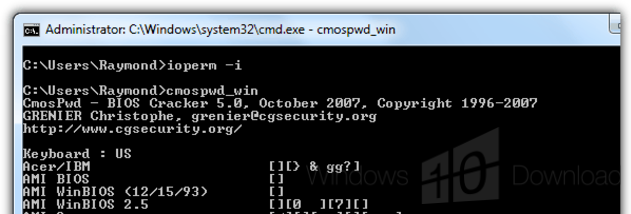

CmosPwd is a small freeware utility for identifying and recovering or clearing passwords stored by certain PC BIOS and CMOS setups. It is intended for technicians and computer owners working on systems they are authorized to service. The program supports a range of older BIOS families, but its usefulness depends on the motherboard, firmware and how the password is stored.
The utility checks supported BIOS implementations and presents recovery possibilities associated with the detected firmware. This can help when an owner has lost access to setup settings or needs to restore access during maintenance. CmosPwd also includes a CMOS-clearing function for compatible systems. Clearing stored CMOS data may remove configuration settings as well as the password, so it should be treated as a maintenance operation rather than a routine first step.
Supported families include AMI, Award, Phoenix, Compaq, IBM, Packard Bell, Toshiba, Acer and Zenith BIOS variants. Coverage is specific to particular implementations and revisions; the presence of a manufacturer on the supported list does not guarantee that every computer from that manufacturer will work. Results also vary with hardware design and firmware configuration.
CmosPwd is most relevant to legacy desktop systems and repair workflows where BIOS access has been lost. Laptop recovery is often different: passwords may be held in a motherboard EEPROM, which this utility cannot retrieve. The program's own guidance warns against using its CMOS-clearing function on laptops. Users should consult the computer or motherboard documentation and consider manufacturer-supported service options before attempting firmware recovery.
The utility is freeware and has a very small file size. Its documented operating systems include Windows versions through Windows 10 and Linux, alongside older Windows and DOS environments; Windows 11 compatibility is not established here. Some supported recovery workflows rely on DOS or a boot disk, so a Windows installation alone may not provide the required environment. CmosPwd is best suited to experienced users who can identify the system's BIOS and assess the risks of changing firmware data.
Very good software