CodeCompare Pro
CodeCompare Pro is a source code comparison and merging ... use it alongside version control systems. For file comparisons, CodeCompare presents differences in source code so developers can ...

CodeCompare is a source code comparison and merging tool for developers using Visual Studio or a version control system that supports external comparison tools. Syntax highlighting, IntelliSense and code folding support code review in its enhanced editor. It can compare and merge files within Visual Studio or be configured from the command line for source control workflows.
| Author: | Devart |
| License: | Freeware |
| Price: | FREE |
| Released: | Feb 27, 2020 |
| File size: | 12.40 MB |
| Downloads: | 329 |
| Keywords: | software review, compare, source control diff tool, Windows 10 compatibility, syntax highlighting, compare source code, visual studio comparison tool, code merge tool, code comparison tool, compare source code files, comparison, source code, syntax highlighting editor, source code comparison tool, x64 application, Devart CodeCompare, source code comparison |
| Author URL: | https://www.devart.com/ |
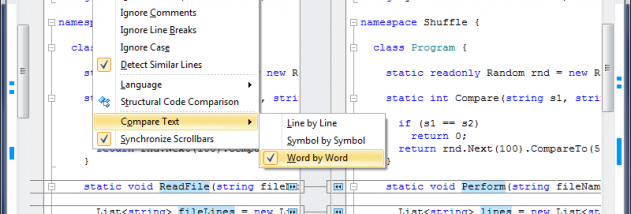

CodeCompare is a source code comparison and merging tool for developers who work in Visual Studio or use a version control system with support for external comparison tools. It brings code review and merge operations into the development workflow, helping programmers inspect differences between files and combine changes without switching between separate applications. Its Visual Studio integration is intended to keep editing and comparison tasks in the same environment.
The comparison interface highlights differences between source files, while syntax highlighting helps distinguish code elements during inspection. An enhanced editor includes IntelliSense, which can assist with code entry, and code folding, which lets developers collapse sections that are not relevant to the current review. These features are useful when comparing longer files, where navigating directly to changed sections can make it easier to understand how edits relate to surrounding code.
CodeCompare also provides merging functionality for resolving differences between versions of a file. Developers can review changes and use the comparison view as part of combining code, rather than relying only on a plain-text view. Visual Studio integration keeps these operations close to the editor, while command-line setup allows CodeCompare to serve as an external compare and merge tool for compatible version control systems. This makes it possible to use the same comparison utility in different development workflows.
Typical uses include reviewing edits before integrating them, checking how a source file has changed between revisions, and resolving competing changes during development. Programmers can use it within Visual Studio for day-to-day editing and comparison, or configure it for a source control system that supports external tools. Its focus is source code rather than general document review, with syntax-aware viewing and editor features supporting code-focused work.
CodeCompare is freeware and is designed for Windows. The provided compatibility information covers Windows XP, Vista, 7, 8 and 10, including several 64-bit editions. Visual Studio integration is central to its workflow; command-line configuration offers an alternative route for connecting it to supported version control software. Compatibility with newer Windows releases or particular Visual Studio editions should be checked before installation.